Remainders, mod, floor, ceiling and absolute value in Scientific calculator plus 991 for Android
ALPHA √x types mod, the remainder of a division: 23 mod 5 is 3. ALPHA and the fraction key, x/y, type ÷R, which gives the quotient and the remainder together: 23 ÷R 5 gives 4, with R = 3. Floor, on ALPHA −, rounds down, toward minus infinity, and Ceil, on ALPHA +, rounds up, toward plus infinity: Floor(−2.7) is −3 and Ceil(−2.3) is −2. SHIFT hyp gives the absolute value, |−3| = 3, and the modulus of a complex number, |3 + 4i| = 5.
- Remainder
- ALPHA √x (mod)
- Quotient and remainder
- ALPHA x/y (÷R)
- Round down, round up
- ALPHA − (Floor), ALPHA + (Ceil)
- Absolute value
- SHIFT hyp (|x|), drawn as two bars
Five functions here deal with whole numbers and signs: mod and ÷R divide with a remainder, Floor and Ceil round down and up to an integer, and Abs gives the size of a number without its sign. Each is printed above a key, in violet for ALPHA or yellow for SHIFT.
The remainder: mod
Type the number to be divided, press ALPHA √x mod and type the number to divide by, then press =.
in 23 mod 5
out 3
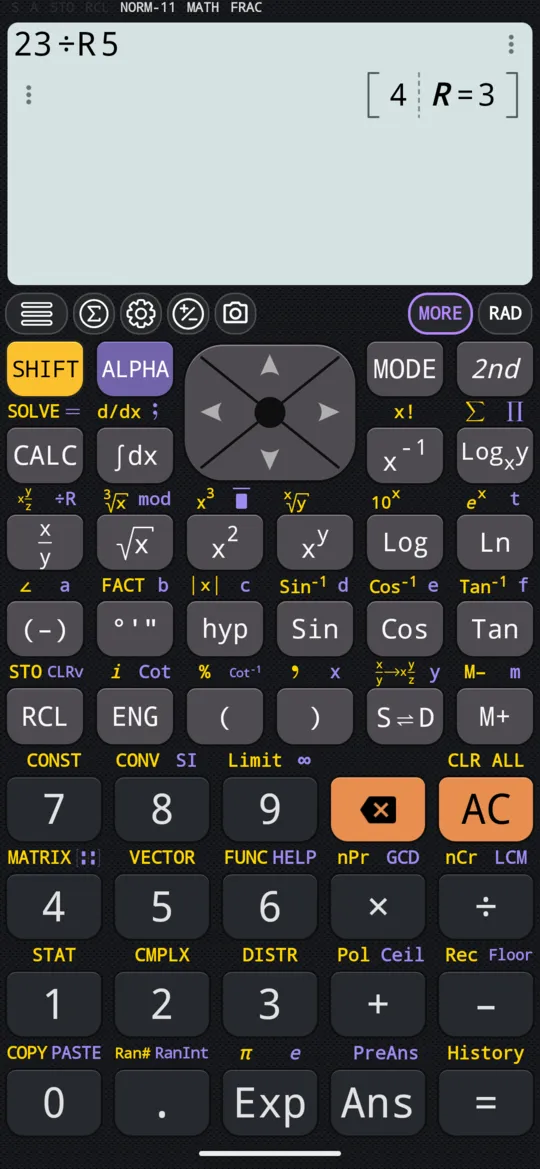
Quotient and remainder together: ÷R
Type the number to be divided, press ALPHA x/y ÷R and the number to divide by, then =. ÷R divides the way a division is done by hand and keeps the remainder: the answer is two numbers side by side, the whole-number quotient, then R = and the remainder.
in 23 ÷R 5
out [4, R = 3]
Round down: Floor
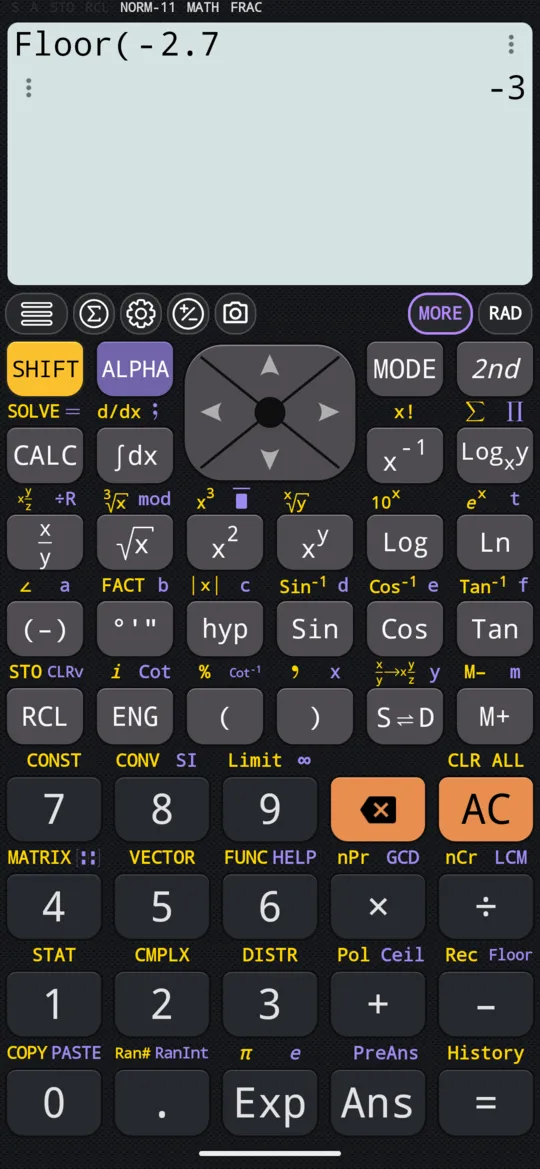
Press ALPHA - Floor, type the number and press =. Floor gives the largest integer that is not greater than the number, so it always rounds down.
in Floor(2.7)
out 2
A negative number rounds toward minus infinity, not toward zero. Type its sign with (-), as the manual does:
in Floor(-2.7)
out -3
Round up: Ceil
Press ALPHA + Ceil, type the number and press =. Ceil gives the smallest integer that is not less than the number, so it always rounds up. The key types Ceil( on the phone; the readouts below, taken from the app's manual, spell the same function out as Ceiling.
in Ceiling(2.3)
out 3
A negative number rounds toward plus infinity:
in Ceiling(-2.3)
out -2
The two side by side:
| A positive number | A negative number | |
|---|---|---|
| Floor, toward −∞ | Floor(2.7) = 2 | Floor(−2.7) = −3 |
| Ceil, toward +∞ | Ceil(2.3) = 3 | Ceil(−2.3) = −2 |
The absolute value: Abs
Press SHIFT hyp |x| for Abs, the absolute value of a real or a complex number, then type the number and press =. The calculator draws it as two bars round the number.
in |-3|
out 3
Of a complex number it gives the modulus, and it does so in MATH mode: CMPLX is not needed. Type i with SHIFT ENG i as usual.
in |3 + 4i|
out 5
The modulus is Abs, not mod: mod is the remainder of a division. More on the modulus, and on the argument that goes with it, is on the complex numbers page.
At a glance
| Keys | Function | Example |
|---|---|---|
| ALPHA √x mod | The remainder | 23 mod 5 = 3 |
| ALPHA x/y ÷R | Quotient and remainder | 23 ÷R 5 = 4, R = 3 |
| ALPHA - Floor | Round down, toward −∞ | Floor(−2.7) = −3 |
| ALPHA + Ceil | Round up, toward +∞ | Ceil(−2.3) = −2 |
| SHIFT hyp |x| | The absolute value | |3 + 4i| = 5 |
Questions
How do I find the remainder of a division?
Type the number, press ALPHA √x (mod), type the number to divide by and press =: 23 mod 5 gives 3, because 23 is 4 fives and 3 over. To see the quotient as well, use ÷R on ALPHA x/y instead.
What is the difference between mod and ÷R?
mod gives the remainder alone: 23 mod 5 is 3. ÷R, on ALPHA x/y, gives the quotient and the remainder together, as a division done by hand: 23 ÷R 5 shows 4 and R = 3.
Why is Floor(−2.7) −3 and not −2?
Because Floor gives the largest integer that is not greater than the number, and −3 is below −2.7 while −2 is above it. Floor always rounds toward minus infinity and Ceil toward plus infinity, whatever the sign of the number: Ceil(−2.3) is −2.
Can Abs give the modulus of a complex number?
Yes, and in the ordinary MATH mode, with no need for CMPLX: |3 + 4i| is 5. Press SHIFT hyp for the two bars, type the number, with i on SHIFT ENG, and press =.
Related pages
- Prime factorisation, GCD and LCM FACT for prime factors, GCD and LCM for common divisors and multiples
- Fractions, mixed numbers and recurring decimals x/y and SHIFT x/y, adding and subtracting them, recurring decimals, S⇌D
- Complex numbers CMPLX mode, a + bi and r∠θ, Re, Im, Abs, Arg, the conjugate and the polar form
- Numbers, arithmetic and complex numbers which mode and which page, the keys, and how numbers are held
Written from the calculator's own manual and from the app itself, version 7.6.0; every figure is one the manual shows or a capture of the app proves. Last revised on 29 September 2026.
Bug reports and feature requests go to kimcuc@samatica.com — a person reads it.