Calculus in Scientific calculator plus 991 for Android
Calculus has four tools, and three keys hold them all. ∫dx opens integrals and antiderivatives, SHIFT then ∫dx opens derivatives, SHIFT then 9 opens limits, and SHIFT or ALPHA then logₓy starts a sum or a product. Some of them follow the angle unit and some always work in radian, which matters as soon as a trigonometric function is involved.
- Keys
- ∫dx; SHIFT ∫dx (d/dx); SHIFT 9 (Limit); SHIFT or ALPHA logₓy (∑, ∏)
- Infinity
- ALPHA 9 types ∞, for a limit or an infinite series
- Follow the angle unit
- the integral and its numerical methods, derivative at a point, sum, product
- Always radian
- the antiderivative, the derivative as an expression, every limit
All four work the same way: a template arrives with empty slots, you move between them with left right or a tap, and = answers. The variable slot already holds x. Each tool has a page of its own; this one says what each is for, which follow the angle unit, and where the keys are.
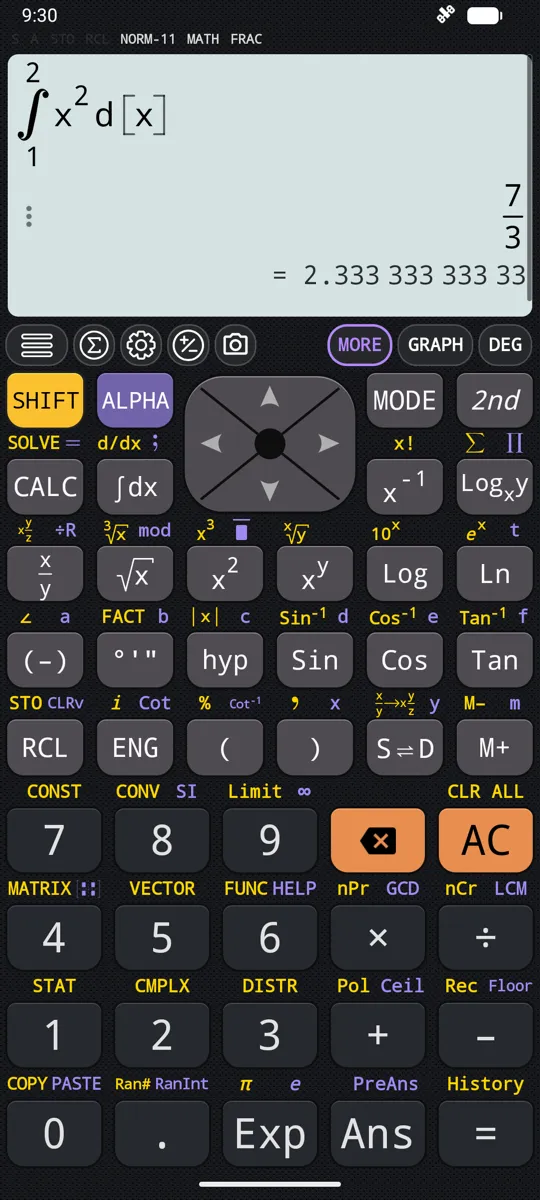
Integrals and antiderivatives
∫dx opens the integral menu, which does two different things with an integral. Integral gives a number, the area under f(x) between two limits, exact wherever an exact answer can be found. Antiderivative gives a function back, one whose derivative is f(x), without the + C. The last three entries, LegendreGauss Integral, Romberg Integral and Gauss-Kronrod Integral, integrate by a named numerical rule for a heavy integrand: always a number, trading accuracy for speed. Integrals and antiderivatives covers all five, and what happens when an integral does not converge.
Derivatives
The derivative menu is the shifted function of the same key, SHIFT ∫dx d/dx. Derivative at a point gives a number, the slope of f(x) at one value of x, for a slope, a rate or a gradient. Derivative gives the slope back as an expression in x, to find stationary points, to differentiate twice or to carry into another calculation. Derivatives takes both from the menu to the answer.
Limits
SHIFT 9 Limit opens the limit menu: the limit from both sides, from the right, from the left, and the infinity symbol. A limit answers what an expression heads towards as x approaches a point, even a point where the expression itself has no value. The answer is a number or a constant, ∞ or −∞, or Indeterminate when the calculator cannot settle on a value. Limits explains each, along with one-sided limits and limits at infinity.
Sums and products
The two share a key. SHIFT logₓy ∑ starts a summation, which adds up the values of an expression as a variable steps through a range of whole numbers, and ALPHA logₓy ∏ starts a product, which multiplies them instead. Both take four slots, the expression, the variable and the two ends of the range, both ends included. With ∞ in the last slot a summation becomes a series that never ends. Sums and products works through both.
Which operations follow the angle unit
As soon as a trigonometric function is involved, it matters which of these follow the angle unit and which ignore it. The split does not run along the keys: the integral menu and the derivative menu each hold entries of both kinds.
| Operation | Angle unit | For example |
|---|---|---|
| Integral | Follows it | sin(x) from 0 to π gives 2 in Radian, and about 0.0861 in Degree |
| The three numerical methods | Follow it | As Integral |
| Derivative at a point | Follows it | The slope of sin(x) at x = 0 is 1 in Radian, and π/180 in Degree |
| Summation and product | Follow it | A sum of sin(x) adds degrees in Degree mode and radians in Radian mode |
| Antiderivative | Always radian | An antiderivative of sin(x) comes back as −cos(x) in every mode |
| Derivative | Always radian | The derivative of sin(x) comes back as cos(x) in every mode |
| Every limit | Always radian | sin(x)/x tends to 1 in Degree mode as in Radian |
When you are not in Radian, Derivative and the limits say so under the answer, with All operands in derivative were computed in radian angle unit and All operands in limit were computed in radian angle unit. The note is telling you the angle unit was ignored, not that anything went wrong.
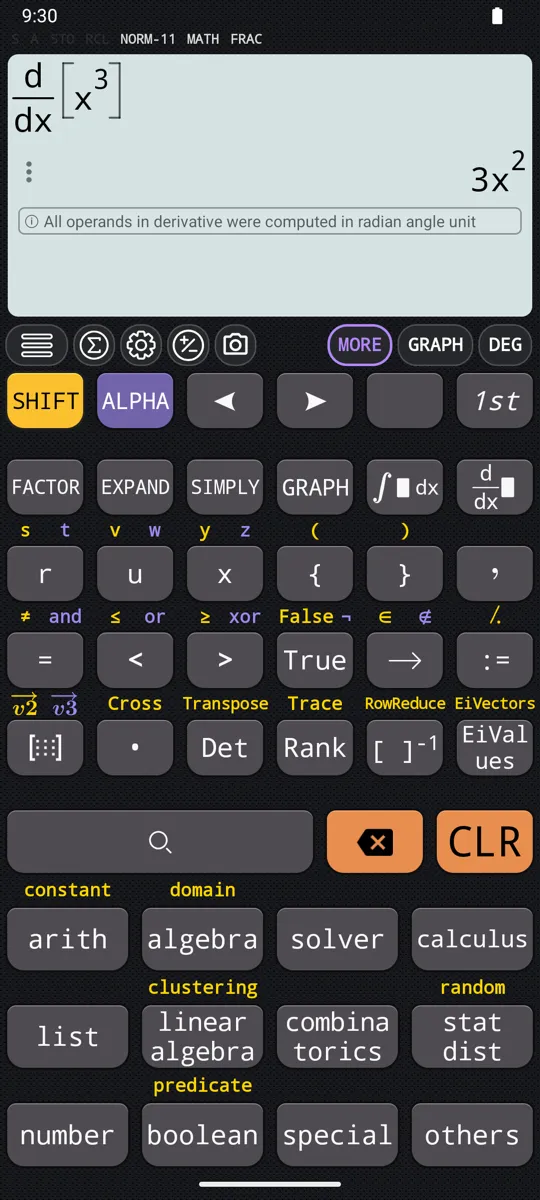
Draw it instead
An integral, a derivative or a limit can be drawn instead of evaluated. Type it exactly as you would to evaluate it, then press GRAPH.
- An integral. Integral draws the curve, with the region between the two limits shaded and both limits marked on the x-axis; the shaded region is the answer. Integrals and antiderivatives shows it.
- A derivative. Derivative at a point draws f(x) solid, f'(x) dashed in a colour of its own, and a labelled point on each at the chosen value; Derivative draws the same two curves with nothing marked. Derivatives shows both.
- A limit. The curve, with a dashed vertical line at the point x is heading towards. Limits shows it.
The graph screen itself has a page of its own.
At a glance
| Keys | What they do |
|---|---|
| ∫dx | Opens the integral menu: Integral, Antiderivative and the three numerical methods |
| SHIFT ∫dx d/dx | Opens the derivative menu: Derivative at a point and Derivative |
| SHIFT 9 Limit | Opens the limit menu: from both sides, from the right, from the left, and ∞ |
| ALPHA 9 ∞ | Types ∞ without opening the menu |
| SHIFT logₓy ∑ | Starts a summation |
| ALPHA logₓy ∏ | Starts a product |
| left right | Moves between the slots of any template |
| = | Evaluates |
| GRAPH | Draws an integral, a derivative or a limit instead |
Antiderivative and Derivative also have a key of their own on the 2nd keyboard, one press instead of a trip through the menu.
Questions
Which key does integrals?
∫dx. It opens a menu with two kinds of integral: Integral gives a number, the area under f(x) between two limits, and Antiderivative gives a function back, one whose derivative is f(x). Three more entries, LegendreGauss Integral, Romberg Integral and Gauss-Kronrod Integral, integrate by a numerical rule when Integral is slow to answer. The same key shifted, SHIFT then ∫dx, is d/dx and opens the derivative menu instead. Integrals and antiderivatives covers the whole menu.
Why does my trig answer change with DEG/RAD?
Because some calculus operations follow the angle unit and some do not. The definite integral, the three numerical methods, the derivative at a point, and sums and products all follow it: sin(x) integrated from 0 to π gives 2 in Radian and about 0.0861 in Degree, and the slope of sin(x) at x = 0 is 1 in Radian but π/180 in Degree. The antiderivative, the derivative as an expression and every limit always work in radian, so the derivative of sin(x) is cos(x) in every mode. Set the angle unit before you start, with the DEG, RAD or GRA key at the top of the display.
Where is the infinity key?
ALPHA then 9 types ∞ directly; it is also the last entry in the limit menu, which SHIFT then 9 opens. Put it in the point slot of a limit to ask what happens as x grows without bound, or in the last slot of a summation to sum a series that never ends.
Can it work out a second derivative?
Yes, in two passes. Choose Derivative from the menu that SHIFT then ∫dx opens, and it gives the derivative as an expression; run Derivative again on its own answer to differentiate twice. Derivatives has the details.
Related pages
- Limits two-sided, one-sided and at infinity, with the graph
- Derivatives the slope at a point, or the derivative as an expression, with the graph
- Definite integrals and antiderivatives a number or a function, with the area shaded on the graph
- Summation (∑) and product (∏), including infinite series ∑ and ∏ over a range of whole numbers, and infinite series
Written from the calculator's own manual and from the app itself, version 7.6.0; every figure is one the manual shows or a capture of the app proves. Last revised on 25 September 2026.
Bug reports and feature requests go to kimcuc@samatica.com — a person reads it.