Scientific calculator plus 991 for Android, with a computer algebra system
A keypad laid out the way a handheld scientific calculator is, with a computer algebra system behind it. Fractions stay fractions and surds stay surds, so an expression looks on screen the way it looks on paper - and one key turns the exact answer into a decimal when a decimal is what you need. This page covers what the calculator does on its own screen; five larger subjects have pages of their own, listed at the end.
§ i Input and the display
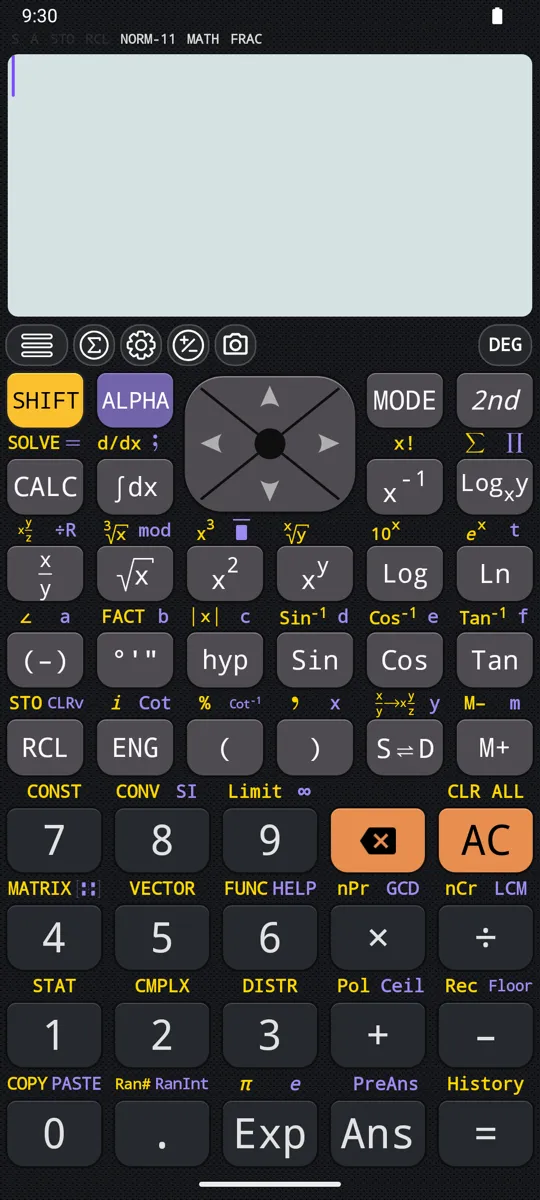
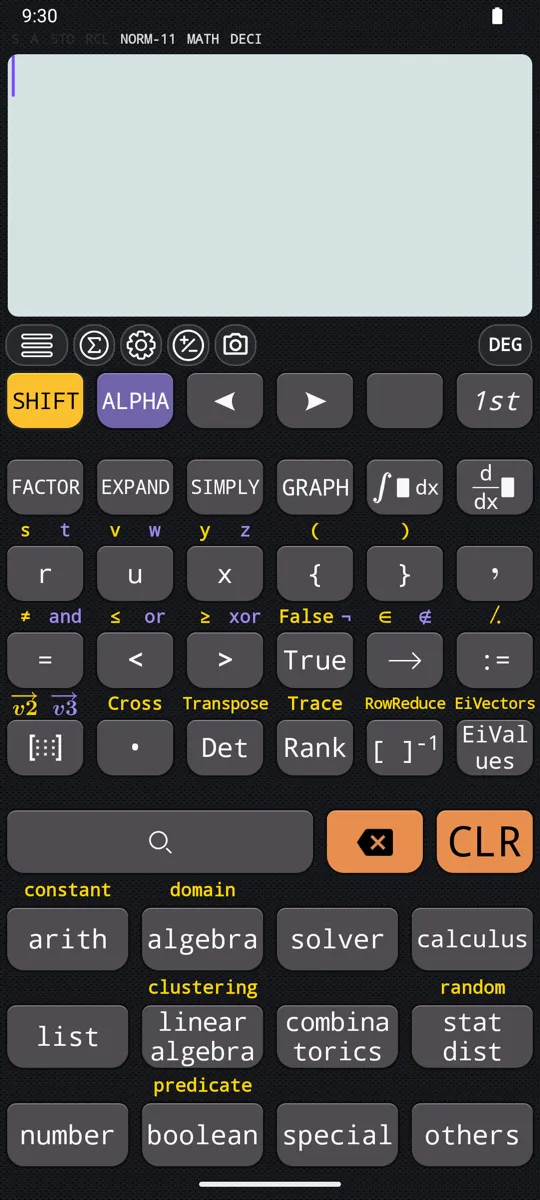
Expressions are typed in the order they are written and evaluated by precedence when you press equals. Fractions, surds, powers, logarithms, integrals, derivatives, sums and products arrive as templates with empty slots, and the arrow keys or a tap move between them. Pressing SHIFT or ALPHA before a key reaches the second or third function printed above it, and 2nd opens a second keyboard for everything that has no key at all.
- Natural display for input and output: fractions, roots, exponents, log, integral, derivative, sum and product templates are entered and shown as they are set in a textbook.
- The extended keyboard behind 2nd carries more than 300 functions and operators, matrix and vector templates, Factor, Expand and Simplify, and six further variables, r, s, t, u, v and z.
- Multiplication signs may be omitted before a parenthesis, a function, a variable, a scientific constant, pi or e; a closing parenthesis before equals may be omitted too, and there is no limit on how many parentheses an expression holds.
- Implied multiplication is a setting: under Normal it ranks with times and divide and evaluates left to right, so 1÷2π reads (1÷2)×π; under Higher precedence, the default, the same input reads 1÷(2×π).
- DEL removes the symbol before the cursor anywhere in the expression, AC clears the expression, SHIFT AC clears everything on the display.
- Indicators across the top report the angle unit (DEG, RAD, GRA), the notation in force (FIX, SCI, ENG, ENG(SI)), the mode, and whether independent memory holds anything.
- An attached hardware keyboard has shortcuts for the main keys and functions: Alt+I for the integral, Ctrl+S for sum, Ctrl+F for the exact-decimal toggle, Shift+P for nPr, Alt+G for GCD.
in √18/3 + √6/√3 − √32
out −2√2
Each fraction is a template of its own, √18 over 3 and √6 over √3; the answer is simplified and left as a surd, the way it would be written on paper.
§ ii Exact or decimal answers, history and memory
An answer is produced twice over: once symbolically, simplified into fractions, roots and constants, and once as a decimal. The S⇌D key moves between the two, and touching the result opens a dialog that shows the same number in every format it has. What has already been worked out stays within reach - in the history, in Ans, in a named variable, or on the clipboard as LaTeX.
- Symbolic evaluation simplifies an expression and keeps fractions, square roots, pi and e intact; numeric evaluation shows the same expression as a decimal. S⇌D switches between them, and Default output in Settings sets which arrives first.
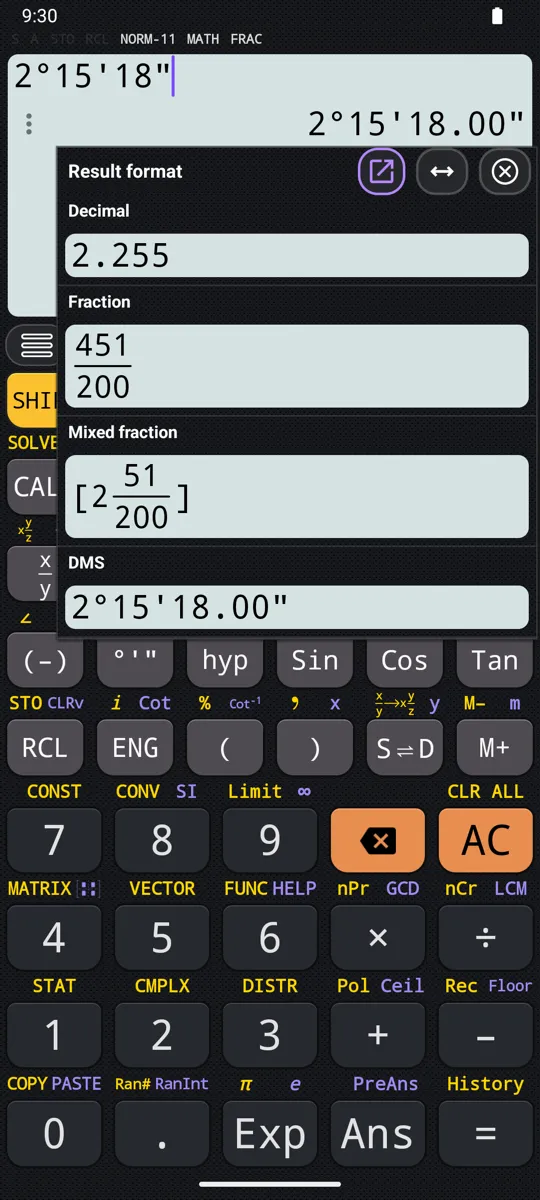
- Touching the result shows one number six ways. For 9/7: the decimal 1.28571428571, the repeated decimal, the fraction 9/7, the mixed fraction 1 2/7, the sexagesimal 1°17'8.57", and (9/7)∠0 in polar coordinates.
- Five decimal notations - normal, fixed, scientific, engineering and engineering with SI prefixes, so that 10 to the sixth is written M - each with its own decimal-place slider.
- The result history holds 300 entries, opened with SHIFT equals or from the drawer; the pencil icon puts an entry back on the input line, and the left and right arrows replay the last expression for editing. Only pressing equals commits a calculation to history.
- Ans holds the last result and PreAns the one before it: after 3 × 4 = 12, then ÷ 30 = 0.4, Ans is 0.4 and PreAns is 12.
- Fourteen variables - a, b, c, d, e, f, x and y, plus r, s, t, u, v and z on the extended keyboard - and the independent memory M, which M+ adds to and SHIFT M+ (M−) subtracts from. SHIFT RCL (STO) followed by a variable's key stores a result in it; RCL followed by the key recalls it.
- SHIFT 0 copies the current expression. A long press on any mathematics on screen offers Copy as text, Copy as LaTeX, Copy as MathML and Export as image; ALPHA 0 pastes back onto the main screen.
in (2√2 + 3√3)(√2 - √3)
out -5 + √6
In numeric mode the identical expression reads -2.55051025722; the symbolic form is the one that shows what cancelled.
§ iii Numbers, fractions and prime factorisation
A number can be entered as a decimal, a fraction, a mixed number, a recurring decimal, or as degrees, minutes and seconds, and converted between those forms afterwards. Integer arithmetic is exact rather than approximate, which is what makes factorials and prime factorisation worth asking for. The percent key behaves the way you tell it to, because the two common conventions disagree.
- A numerator or denominator may hold any expression, nested fractions included; SHIFT and the fraction key enter a mixed number instead.
- ALPHA x² enters a recurring decimal: 0.3 recurring, entered that way, resolves to 1/3.
- Sexagesimal input and output with the degrees key: 2°20'30" + 0°39'30" = 3°00'00", and the same key converts 2°15'18" to 2.255 and back again.
- Percent: 150 × 20% = 30 in either convention, because the setting changes only how + and − read a percent — with × and ÷ a percent is always just divided by 100. With the relative setting, the default, 2500 + 15% = 2875 and 3500 − 25% = 2625.
- 23 mod 5 = 3, and 23 ÷R 5 returns the quotient 4 with remainder 3. Floor(−2.7) = −3 and Ceil(−2.3) = −2: Floor always rounds towards negative infinity and Ceil towards positive infinity, whichever side of zero the number sits on.
- GCD(8,12) = 4, LCM(8,12,6) = 24, (5+3)! = 40,320, 52 nCr 5 = 2,598,960, 52 nPr 5 = 311,875,200, and Ran# and RanInt(1,6) for random reals and integers.
- Whole numbers are kept exactly to roughly 98,600 digits and decimals to 512 significant digits, so 100! comes back with all 158 of its digits and 2 to the thousandth with all 302.
in 1014, then SHIFT °'" (FACT)
out 2 × 3 × 13²
A fraction factorises too - 3/8 returns 2⁻³ × 3, the denominator carrying the negative exponent.
§ iv Powers, logarithms and trigonometry
The function keys cover what an engineering syllabus asks for, and each one answers exactly when an exact answer exists. Roots of negatives return the real root where there is one. Trigonometric arguments follow the angle unit shown on the display; hyperbolic arguments are plain numbers and ignore it entirely.
- 5² = 25, √81 = 9, the cube root of −27 = −3, the fourth root of 625 = 5, and 10⁴ = 10000.
- ln(12) = 2.48490664979, log(100) = 2, e⁻³ = 0.04978706837, and logarithms to any base you name.
- Sin, Cos and Tan have keys, with their inverses on SHIFT; Cot is ALPHA ENG, Cot⁻¹ is ALPHA and the ( key, and Sec, Sec⁻¹, Csc and Csc⁻¹ come from the hyp menu. Cos(π) = −1 in radians, Sin(90) = 1 in degrees, Cot(π/4) = 1 and Sec(π/3) = 2 in radians, Cot⁻¹(1) = 45 in degrees.
- Six hyperbolic functions and six inverses, on the hyp menu: Sinh(5) = 74.20321057779, ArcCosh(3) = 1.76274717404. Their arguments are real numbers, so the angle mode does not reach them.
- Pol and Rec convert between coordinate systems: Pol(√2, √2) = 2∠45 in degrees, and Rec(√2, 45) gives x = 1, y = 1.
- Sum and product over a range: the sum of x from 1 to 10 is 55, the product 3628800.
- Abs(−3) = 3, and the same function returns the modulus of a complex number, so Abs(3+4i) = 5.
in log₂256
out 8
The base goes in the subscript slot of the template and the argument beside it, so the expression reads as it is printed.
§ v Complex numbers
CMPLX mode accepts a complex number in either form, a + bi or r∠φ, and shows the result in whichever form you ask for. Every arithmetic operation, power, logarithm, trigonometric and hyperbolic function is defined on complex arguments. The mode also changes what a root of a negative number means, which is worth knowing before the answer surprises you.
- Rectangular entry with SHIFT ENG (i): 3 + 5i. Polar entry with SHIFT (−) (∠): 3∠90, which in degrees returns 3i.
- Touching a result shows both forms of it - 4 + 4i is also 5.65685424949238∠45.
- SHIFT 2 (CMPLX) opens a menu holding Arg, Conjg, Re, Im, Abs, and the two display conversions ►r∠φ and ►a+bi.
- Re(4+6i) = 4, Im(4+6i) = 6, Conjg(4+6i) = 4−6i, Arg(−2+2i) = 135 in degrees, Abs(1−i) = √2.
- Outside CMPLX mode the cube root of −27 is −3, the real root. Inside it, the same input returns the principal complex value, 1.5 + 2.59807621135332i.
- SOLVE returns complex roots rather than refusing: x² + 1 = 0 gives a two-line list holding x = −i and x = i.
in 3∠90
out 3i
The angle is read in whichever unit the display shows, so the same entry means something else in radians.
§ vi Binary, octal, hexadecimal and logic
BASE-N mode works in decimal, hexadecimal, binary and octal, at a bit width you set, and converts a result that is already on screen when you press another base key. The logical operators and their negated forms sit on the keypad, as do shifts and rotations in signed and unsigned variants. A separate set of comparison keys on the second keyboard answers True or False rather than a number.
- DEC, HEX, BIN and OCT switch the input base; pressing one after a result converts the answer in place.
- Bit width is 8, 16, 32 (the default) or 64, set with SHIFT 1 to SHIFT 4. At 8 bits, NOT 0 fills the whole width and reads 11111111.
- 11 + 1 in binary is 100; 1F + 1 in hexadecimal is 20; 7 + 1 in octal is 10.
- AND, OR and XOR with their negated forms NAND, NOR and XNOR: 1010 AND 1100 = 1000, 1010 NAND 1100 = 11110111, 1011 OR 11010 = 11011, 1010 XOR 1100 = 110.
- Shifts and rotations by one bit or by a stated distance: 1010 << 1 = 10100, 1110010 >> 1 = 111001, RoL(01110010, 1) = 11100100, RoR(01110010, 1) = 00111001. SHIFT >> gives the unsigned shift, which fills with 0 instead of extending the sign.
- A non-integer in BASE-N is held in fixed point, not IEEE-754, so the bit pattern is not the one a program would produce for the same number.
- The second keyboard carries =, ≠, <, ≤, >, ≥ with and, or, xor and ¬: 2<3 is True, comparisons chain so 1<2<3 is True, and Positive(0) is False because zero is neither positive nor negative.
in 1F + 1 (HEX)
out 20
F is the last digit in the column, so adding one carries into the next.
§ vii Scientific constants and unit conversion
Forty constants sit under one menu key, each with the symbol it is printed with in a textbook, and each usable inside an expression rather than only on its own. The conversion menu works the same way: pick a command, and it joins the number already typed. Both are reference tables you would otherwise be looking up on paper.
- SHIFT 7 opens the constants menu: C₀, h, ℏ, NA, k, R, F, e, ε₀, µ₀, me, mp, mn, α, R∞, σ, G, atm and the rest, 40 in all.
- The values are the CODATA 2014 recommended ones, except the Planck constant, the elementary charge, the Boltzmann constant and the Avogadro constant, which hold the exact values the 2019 revision of the SI gave them.
- C₀ on its own returns 299792458. Deriving it instead as 1 over the square root of ε₀µ₀ returns 299792458.1817843, a fraction of a metre per second out, because the stored ε₀ and µ₀ are rounded.
- SHIFT 8 opens the conversion menu, which inserts a command after the value typed: 100 g►oz = 3.52739658379, and −31°C►°F = −23.8.
- Conversion data follows NIST Special Publication 811 (1995). J►cal converts at a temperature of 15°C.
in 5cm►in
out 1.96850393701
The command is inserted after the number, so the reading order matches the way the conversion is said aloud.
§ viii CALC for formulas, SOLVE for equations
CALC keeps a formula on the display and asks for its variables one at a time, so a formula is typed once and run as often as needed. SOLVE takes an equation written out in full and returns every root it can find, exactly where an exact root exists. For polynomials of degree 2 to 5 and systems in two, three or four unknowns, the polynomial and simultaneous equation solvers take rows of coefficients instead. The semicolon joins several calculations into one entry that steps through them in order.
To run one formula for several values
- 1. Type the formula once: 4, the fraction key, 3, the right arrow, then SHIFT Exp (π), ALPHA (−) (a) and SHIFT x² (x³). The display reads 4/3 πa³.
- 2. Press CALC. The input line changes to a=?, with the value a holds now shown beneath it.
- 3. Type 3 and press =: 36π, kept exact in the default symbolic setting.
- 4. Press = to bring the prompt back, type 5 and press =: 500π/3. Do the same with 10 for 4000π/3.
- 5. Press AC on the result screen to finish; = then stops asking for values.
- CALC prompts for each variable in the order the variables first appear, and once each however many times it is used. Constants are not variables, so it never asks for pi or i.
- A prompt accepts a whole expression - √3 or 2+3 is evaluated as it is accepted - and pressing equals with nothing typed keeps the value already held, so only the value that changed has to be retyped.
- CALC also holds assignments and whole multi-statements: b = a + 2 ; b × 3, answered with a = 5, returns 7 and then 21, the second statement using the b the first one set. The = inside an assignment is ALPHA CALC.
- SHIFT CALC runs SOLVE, on an equation or on a bare expression, which is solved against zero. It solves for x by default, or for the variable named after a comma: y + 2 = x, y returns y = −2 + x.
- Roots stay exact where they can, and still carry the equation's other variables: y = ax² + b solves to x = √(−b+y)/√a and its negative. S⇌D rewrites the whole list as decimals.
- The semicolon, ALPHA and the integral key, joins any number of statements; each press of equals runs the next, so 3+3 ; 3×3 returns 6, then 9.
in a + bi ►r∠φ, then CALC with a = √3, b = 1
out 2∠30
The angle unit is DEG. Press CALC again and answer a = 1, b = √3, and the same stored expression returns 2∠60.
§ ix Calculus, graphs, equations, statistics and matrices
Five subjects need more room than a section here can give them, and each has a page of its own.
- Integrals, derivatives and limits: definite integrals and antiderivatives, derivatives at a point or as expressions, limits from either side, sums and products. Answers stay exact, so the area under x² from 1 to 2 comes back as 7/3 rather than 2.333.
- Graphs and tables of values: Cartesian, polar, parametric and implicit curves, drawn by typing the expression and pressing GRAPH, and TABLE, which lists f(x) and g(x) side by side over a start, an end and a step.
- Equations and inequalities: polynomials of degree 2 to 5 and systems in two, three or four unknowns, entered as rows of coefficients. A quadratic reports its turning point too, and an inequality of degree 2 to 4 comes back as intervals.
- Statistics and distributions: a data editor with a frequency column, single-variable statistics and seven regression models, and sixteen distribution functions, from the normal and Student-t to the binomial, Poisson and geometric.
- Matrices and vectors: matrices up to 7 rows by 7 columns stored as MatA to MatD, vectors in two or three dimensions stored as VctA to VctD, with determinants, eigenvalues and decompositions for the one and dot and cross products for the other.
Questions
How do I change a fraction answer to a decimal?
Press S⇌D: it switches the answer on screen between its exact form and a decimal, so π/6 becomes 0.52359877559 and a second press brings it back. Default output in Settings decides which form arrives first. Touching the result shows the same number six ways: for 9/7, the decimal, the repeated decimal, the fraction, the mixed fraction 1 2/7, the sexagesimal and the polar form.
Does it have a computer algebra system?
Yes, and CAS mode is on by default. Expressions are simplified rather than rounded, so (2√2 + 3√3)(√2 − √3) comes back as −5 + √6, and SOLVE returns exact roots that may still carry the equation's other variables. Factor, Expand and Simplify sit on the extended keyboard behind 2nd. With CAS mode turned off in settings, SOLVE cannot give a symbolic answer and reports Cannot solve equation instead.
Can it convert between binary, hexadecimal, octal and decimal?
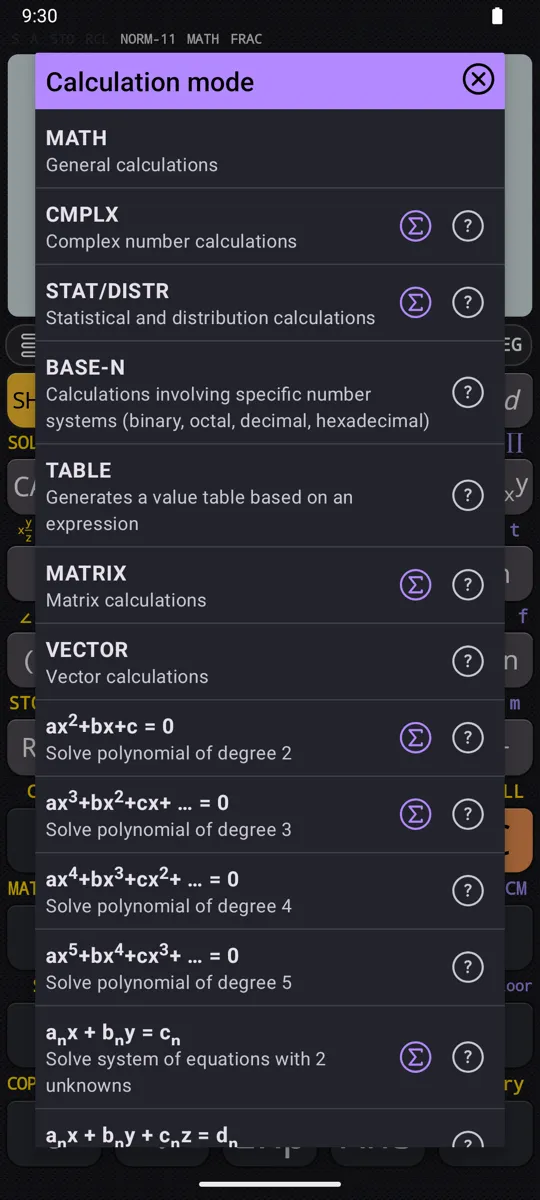
Yes. BASE-N mode, chosen from MODE, works in all four at a bit width of 8, 16, 32 or 64, and pressing another base key converts a result already on screen. AND, OR and XOR with their negated forms NAND, NOR and XNOR are on the keypad, alongside shifts and rotations in signed and unsigned variants. One limitation is worth knowing: a non-integer in BASE-N is held in fixed point rather than IEEE-754, so the bit pattern is not the one a program would produce for the same number.
Does it work with complex numbers?
Yes, in CMPLX mode: a + bi is typed with i on SHIFT ENG, and r∠φ with the angle sign on SHIFT (−). Arg, Conjg, Re, Im and Abs are on the menu under SHIFT 2, and every arithmetic operation, power, logarithm, trigonometric and hyperbolic function is defined on complex arguments. The mode also changes what a root of a negative number means: outside CMPLX the cube root of −27 is −3, while inside it the same input returns the principal complex value, 1.5 + 2.59807621135332i.
How many digits does it hold before rounding?
Whole numbers are kept exactly to roughly 98,600 digits and decimals to 512 significant digits. That is enough for 100! to come back with all 158 of its digits and 2 to the thousandth with all 302. Integer arithmetic is exact rather than approximate, which is what makes factorials, GCD and prime factorisation worth asking for - 1014 factorises to 2 × 3 × 13².
Does it include scientific constants and unit conversion?
Yes: forty constants sit under SHIFT 7 (CONST) and can be used inside an expression, not only on their own. They hold the CODATA 2014 recommended values, except the Planck constant, the elementary charge, the Boltzmann constant and the Avogadro constant, which hold the exact values the 2019 revision of the SI gave them. The conversion menu on SHIFT 8 (CONV) inserts a command after the number already typed, so 5cm►in returns 1.96850393701; the data follows NIST Special Publication 811 (1995).
Can it graph functions and do calculus?
Yes, and each has a page of its own. Typing an expression and pressing GRAPH draws Cartesian, polar, parametric and implicit curves, several at once when separated by semicolons; the graphing page covers them, with tables of values. Integrals, derivatives, limits, sums and products are on the calculus page, and they stay exact where they can: the sum of 1/x² over the positive whole numbers comes back as π²/6.
The five larger subjects
- i. Calculus integrals, derivatives, limits, series
- ii. Graphing and tables curves, shaded areas, tables of values
- iii. Equations and inequalities polynomials, systems, intervals
- iv. Statistics and distributions regression, normal, t, binomial
- v. Matrices and vectors determinants, eigenvalues, products
Written from the calculator’s own manual for version 7.6.0, and every worked example is one that manual shows. Last revised on 25 September 2026.
Bug reports and feature requests go to kimcuc@samatica.com — a person reads it.