Binary, octal, decimal and hexadecimal: converting and calculating in BASE-N in Scientific calculator plus 991 for Android
Press MODE and choose BASE-N, then DEC, HEX, BIN or OCT for the base you type in. Pressed after an answer, the same keys convert it: 15 × 37 gives 555 in decimal, and HEX, BIN and OCT turn it into 22B, 1000101011 and 1053. Arithmetic works in any base: in binary 11 + 1 is 100, in hexadecimal 1F + 1 is 20. Numbers are signed, so they can be negative, and 32 bits wide unless you choose 8, 16 or 64 bits with SHIFT 1, SHIFT 2 or SHIFT 4.
- Mode
- MODE, then BASE-N
- Bases
- DEC, HEX, BIN, OCT; decimal to begin with
- Bit size
- SHIFT 1 to SHIFT 4: 8, 16, 32 or 64 bits; 32 by default
- Hex digits
- A to F, on keys of their own
BASE-N mode turns the keypad into a programmer's calculator. Four keys choose the number base, a row of six keys types the hexadecimal digits A to F, and the logic operations replace most of the scientific functions; powers, roots, mod, GCD and LCM stay on the keypad. This page covers the bases and converting between them; the logic operations have a page of their own.
BASE-N mode
Press MODE and choose BASE-N. The mode starts in decimal.
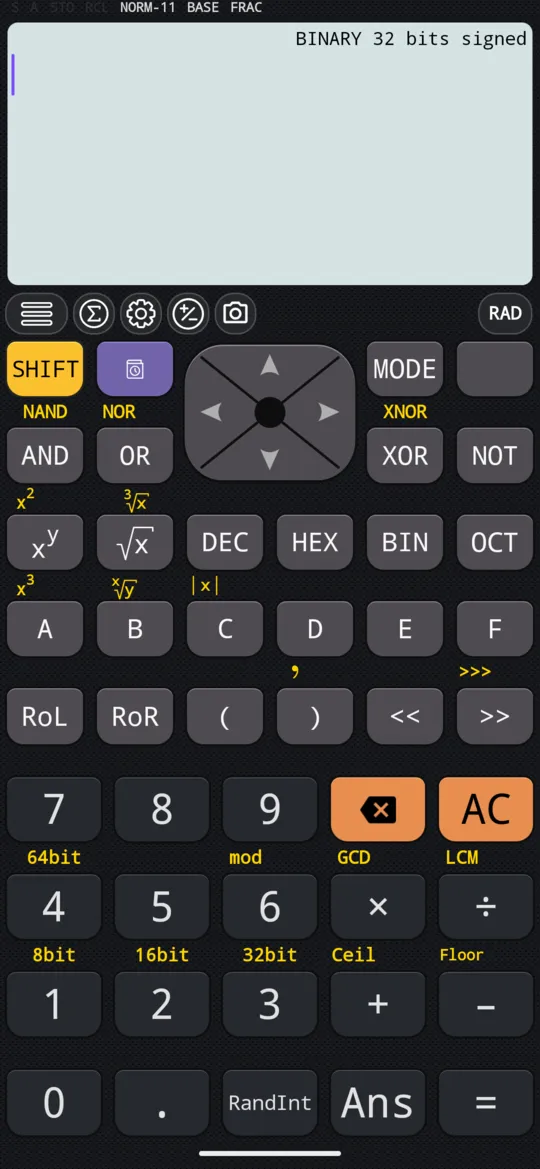
Four keys choose the base:
| Key | Base |
|---|---|
| DEC | Decimal, the base the mode starts in |
| HEX | Hexadecimal, with A to F on keys of their own |
| BIN | Binary |
| OCT | Octal |
The line above the input names the base and the bit size, such as BINARY 32 bits signed.
Calculate in a base
Choose the base, type the numbers in it, and press =. The answer comes in the same base.
in 11+1
out 100
In hexadecimal, the digits A to F have keys of their own, on the row under DEC, HEX, BIN and OCT: for 1F, press 1, then F.
in 1F+1
out 20
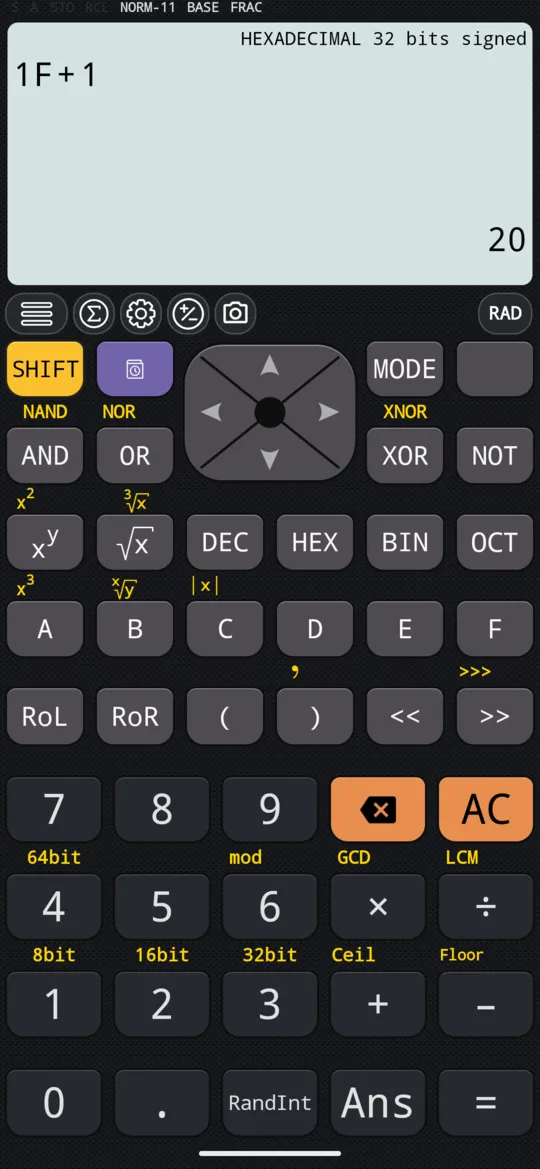
in 7+1
out 10
Convert an answer
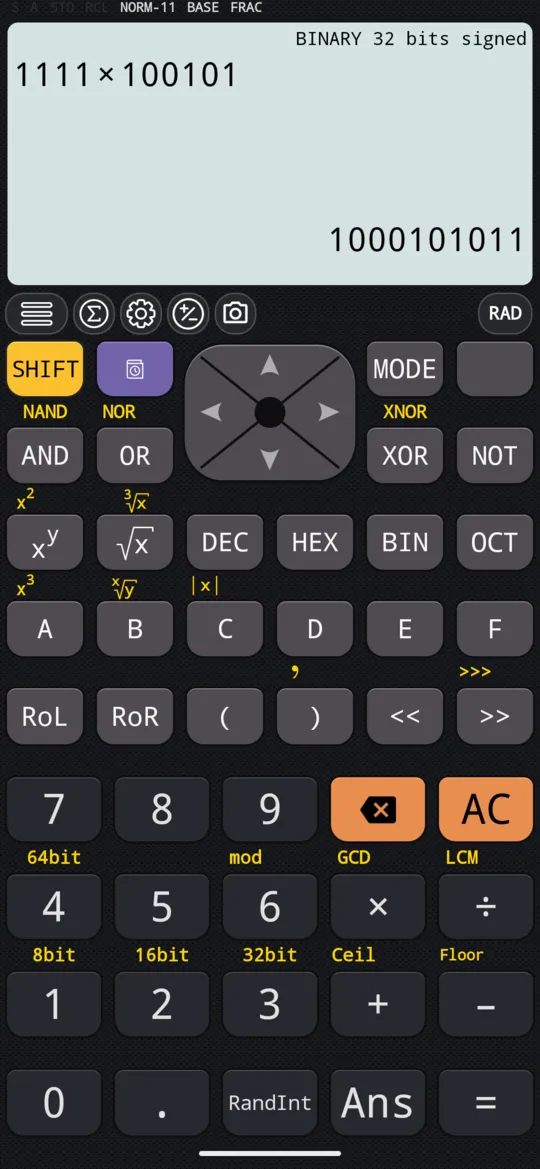
After an answer, press DEC, HEX, BIN or OCT to convert it to that base. The calculation above it is converted too, and the line above the input names the new base.
in 15×37
out 555
| Press | The answer reads |
|---|---|
| HEX | 22B |
| BIN | 1000101011 |
| OCT | 1053 |
The bit size
Values are signed, so they can be negative, and held in a fixed number of bits. Press SHIFT and a digit key to choose how many:
| Keys | Bits |
|---|---|
| SHIFT 1 8bit | 8 |
| SHIFT 2 16bit | 16 |
| SHIFT 3 32bit | 32, the default |
| SHIFT 4 64bit | 64 |
For example, press BIN, set 8 bits with SHIFT 1 8bit, then press NOT, 0 and =; the display writes NOT as ~. NOT sets every bit that 0 leaves clear, so all eight are 1, which a signed 8-bit value reads as −1 in decimal:
in ~0
out 11111111
Numbers that are not whole
A number that is not whole, such as 12.52, is held in fixed point: the whole part, the binary point, then the bits of the fraction. Programs store such numbers in floating point (IEEE 754), so the bits here are not the ones a program would store. 12.52 in decimal is 1100.1000 0101 0001 1110… in binary.
At a glance
| Keys | What they do |
|---|---|
| MODE, BASE-N | Calculate in binary, octal, decimal and hexadecimal |
| DEC, HEX, BIN, OCT | Set the base; after an answer, convert it |
| SHIFT 1 8bit to SHIFT 4 64bit | Bit size: 8, 16, 32 or 64 |
| AND, OR, XOR, NOT | Logic operations |
Questions
How do I convert a decimal number to binary or hexadecimal?
In BASE-N mode, press DEC, type the number and press =. Then press BIN, HEX or OCT: the answer on screen is converted, and so is the calculation above it. 555 becomes 22B in hexadecimal, 1000101011 in binary and 1053 in octal.
How do I type the hexadecimal digits A to F?
Press HEX so that what you type is read as hexadecimal. In BASE-N mode A to F have keys of their own, the row under DEC, HEX, BIN and OCT, so 1F is 1 then F; 1F + 1 gives 20.
What does the bit size change?
It sets how many bits a signed value has, 8, 16, 32 or 64, with SHIFT 1 to SHIFT 4, and the line above the input shows it, as in BINARY 8 bits signed. It also decides how a negative number is written: at 8 bits NOT 0, which is −1 in decimal, is 11111111.
Does BASE-N mode work with numbers that are not whole?
Yes, in fixed point: 12.52 in decimal is 1100.1000 0101 0001 1110… in binary, the bits of the fraction following the binary point. That is not the floating-point format (IEEE 754) that programs store, so the pattern will not match what a program shows in memory.
Related pages
- Logic operations bitwise AND, OR, XOR and NOT, shifts and rotations, and True/False comparisons
- Numbers, arithmetic and complex numbers which mode and which page, the keys, and how numbers are held
- Remainders, mod, floor, ceiling and absolute value mod and ÷R, rounding down and up, and the absolute value
Written from the calculator's own manual and from the app itself, version 7.6.0; every figure is one the manual shows or a capture of the app proves. Last revised on 29 September 2026.
Bug reports and feature requests go to kimcuc@samatica.com — a person reads it.