Fractions, mixed numbers and recurring decimals in Scientific calculator plus 991 for Android
Press the fraction key, x/y, to type a fraction: numerator, x/y, denominator. SHIFT x/y types a mixed number, and ALPHA x² a recurring decimal. Fractions go into a calculation like any other number, and the answer comes back as a fraction: 1/2 + 1/3 gives 5/6, with its decimal beneath it. S⇌D switches to decimals, and SHIFT S⇌D turns an improper fraction into a mixed number.
- Fraction
- the x/y key, between numerator and denominator
- Mixed number
- SHIFT x/y: whole number, numerator, denominator
- Recurring decimal
- ALPHA x², then the repeating digits
- Answers
- fractions in FRAC; S⇌D for decimals
A fraction on the calculator is a template: two places, one above the other, that you fill in and then leave. A mixed number is the same template with a third place for the whole number, and a recurring decimal is typed with a bar over the digits that repeat. In symbolic calculation, the mode the calculator starts in, a calculation with fractions gives its answer as a fraction.
Type a fraction
To type a fraction
-
Type the numerator, then press the fraction key, x/y. The numerator goes on top and the cursor moves to the denominator.
-
Type the denominator.
-
Press right to leave the fraction and carry on with the calculation.
in 7/9
The numerator and the denominator can hold any expression, fractions included. You can also start with x/y, which opens an empty fraction: fill the numerator, then press down to reach the denominator.
in Sin(π)/2
Type a mixed number
Press SHIFT x/y for a mixed number: a template with three places, the whole number, the numerator and the denominator. Press right to move from one place to the next, and once more to leave the template.
in 3 2/8
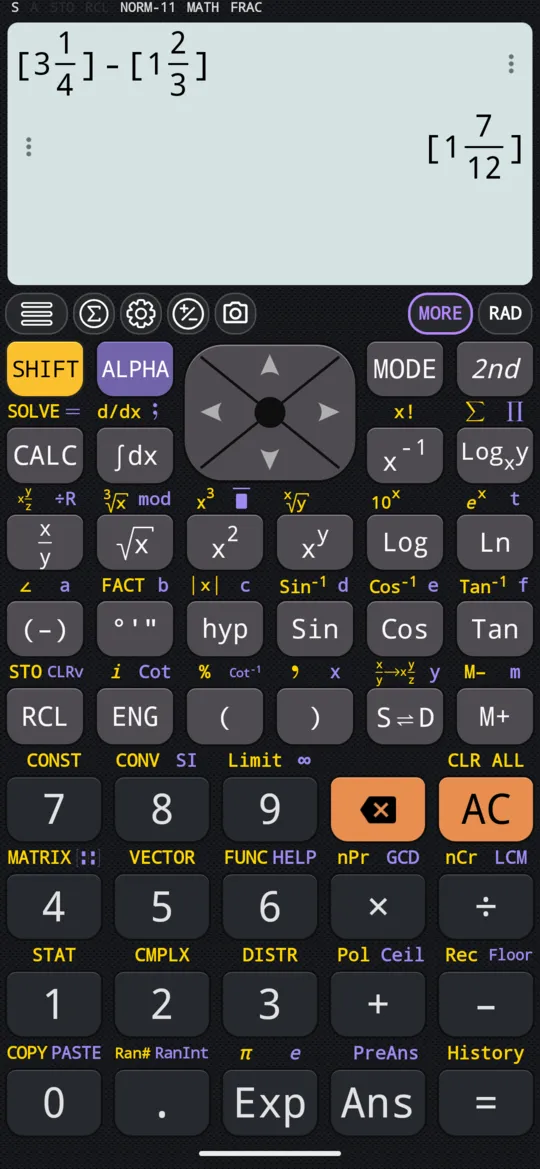
The calculator draws a mixed number in square brackets, the whole number beside the fraction.
Add and subtract fractions
Fractions and mixed numbers go into a calculation like any other number. Leave each one with right before you type the next sign.
in 1/2 + 1/3
out (5/6)
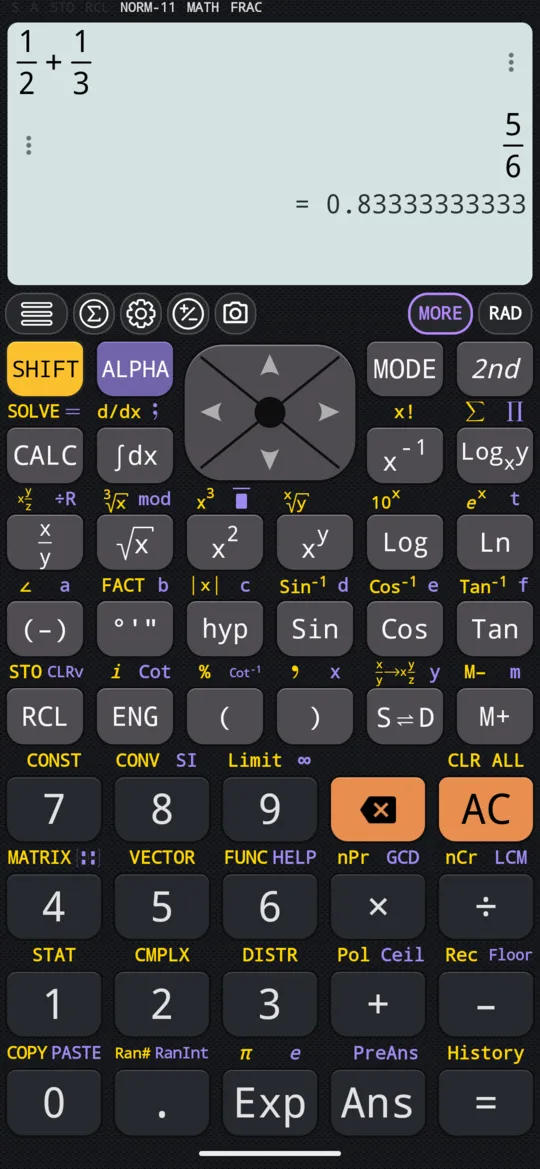
Press S⇌D for the decimal form; it switches the calculator to numeric calculation, DECI. Here the decimal recurs, so it is drawn with a bar over the repeating 3:
in 1/2 + 1/3
out 0.83̅
With mixed numbers the answer comes back as an improper fraction:
in 3 1/4 - 1 2/3
out (19/12)
Press SHIFT S⇌D to turn it into a mixed number:
in 3 1/4 - 1 2/3
out 1 7/12
Type a recurring decimal
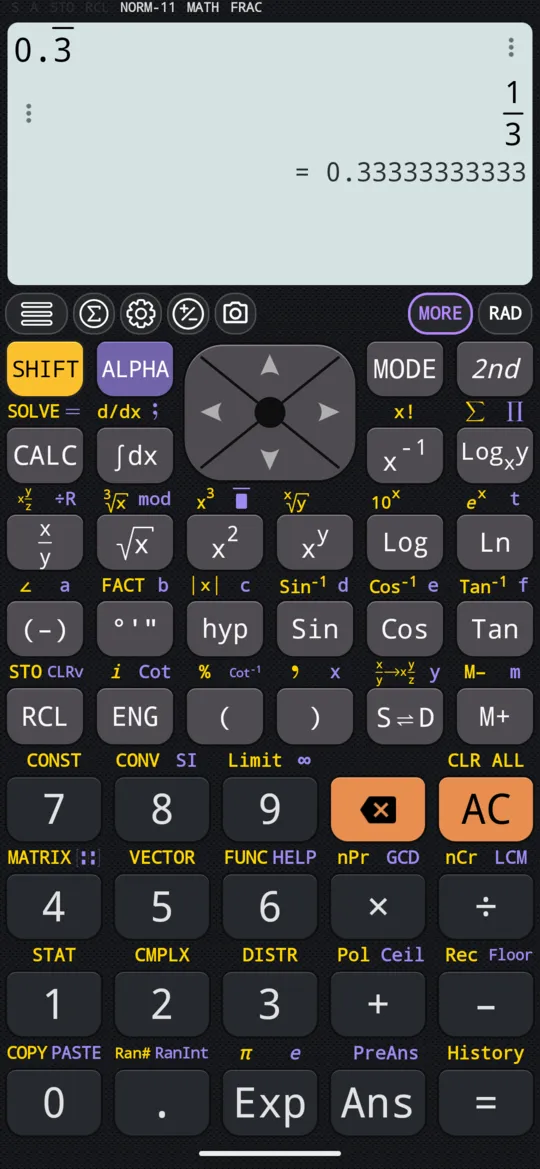
Press ALPHA x² to type a recurring decimal, then the digits that repeat; the calculator draws a bar over them. Press = and the answer is the fraction it stands for.
in 0.3̅
out (1/3)
Switch between fraction, decimal and mixed number
There are three ways to see an answer in another form:
- Press S⇌D to switch between symbolic and numeric calculation, FRAC and DECI on the status line. The answer on screen turns into its decimal, and the answers after it stay decimal until you press it again.
- Press SHIFT S⇌D to turn an improper fraction into a mixed number.
- Touch the answer to open the Result format dialog. It lists the answer in every form that fits it: as a decimal, a repeating decimal, a fraction and a mixed fraction, and in degrees, minutes and seconds.
At a glance
| Keys | What they do |
|---|---|
| x/y | Types a fraction |
| SHIFT x/y | Types a mixed number |
| ALPHA x² | Types a recurring decimal |
| right , down | Move between the places of a template; ▶ at the end leaves it |
| S⇌D | Switches between exact (FRAC) and decimal (DECI) answers |
| SHIFT S⇌D | Turns an improper fraction into a mixed number |
Questions
How do I add fractions on the calculator?
Type the first fraction with the x/y key, press ▶ to leave it, then type + or − and the next fraction, and press =: 1, x/y, 2, ▶, +, 1, x/y, 3, = gives 5/6, with its decimal beneath it. Mixed numbers work the same way, with SHIFT x/y: 3 1/4 − 1 2/3 gives 19/12.
How do I turn an answer into a mixed number?
Press SHIFT S⇌D. 19/12 becomes 1 7/12, drawn as the whole number beside the fraction, in square brackets. To type a mixed number in the first place, use SHIFT x/y instead of x/y: it has three places, the whole number, the numerator and the denominator.
How do I enter a recurring decimal?
Press ALPHA x², then the digits that repeat. The calculator draws a bar over them, and = gives the fraction the decimal stands for: 0.3 recurring gives 1/3. Going the other way, S⇌D writes 5/6 as 0.83 with the 3 recurring.
How do I get a decimal answer instead of a fraction?
Press S⇌D. The calculator starts in symbolic calculation, FRAC on the status line, which keeps answers exact; S⇌D switches to numeric calculation, DECI, so the answer on screen and the ones after it come back as decimals until you press it again. To see a single answer in other forms, touch it: the Result format dialog lists its decimal, repeating decimal, fraction and mixed fraction.
Related pages
- Percentages percent of a number, what percent, increases and discounts, and the setting
- Prime factorisation, GCD and LCM FACT for prime factors, GCD and LCM for common divisors and multiples
- Remainders, mod, floor, ceiling and absolute value mod and ÷R, rounding down and up, and the absolute value
- Numbers, arithmetic and complex numbers which mode and which page, the keys, and how numbers are held
Written from the calculator's own manual and from the app itself, version 7.6.0; every figure is one the manual shows or a capture of the app proves. Last revised on 29 September 2026.
Bug reports and feature requests go to kimcuc@samatica.com — a person reads it.