Logic operations: AND, OR, XOR, NOT, bit shifts and True/False tests in Scientific calculator plus 991 for Android
Press MODE and choose BASE-N: the AND, OR, XOR and NOT keys then work bit by bit, so in binary 1010 AND 1100 is 1000. SHIFT on the same keys gives NAND, NOR and XNOR; << and >> shift the bits, and RoL and RoR rotate them. Comparisons need no mode: on the 2nd keyboard, =, < and > answer True or False instead of a number, and ALPHA on the same keys joins them with and, or, xor, so the statement 2 < 3 and 5 > 4 is True.
- Bitwise
- BASE-N: AND, OR, XOR, NOT; NAND, NOR, XNOR on SHIFT
- Shifts
- << and >>; SHIFT >> for the unsigned >>>
- Rotations
- RoL and RoR: (value, places)
- Comparisons
- =, < and > on the 2nd keyboard; ALPHA adds and, or, xor
What comes back is the difference. A bitwise operation takes numbers and gives a number, worked out one bit position at a time, and needs BASE-N mode. A logic test takes statements such as 2 < 3 and gives True or False, in the ordinary MATH mode. Binary, hex and octal covers the bases and the bit size that the first half of this page relies on.
Bitwise operations in BASE-N
Press MODE, choose BASE-N, then press BIN for binary. Press SHIFT 1 8bit for 8 bits, the bit size the examples below use. The display writes AND as ∧, OR as ∨, XOR as ⊕ and NOT as ~, and spells out NAND, NOR and XNOR.
- The AND, OR and XOR keys combine two numbers bit by bit.
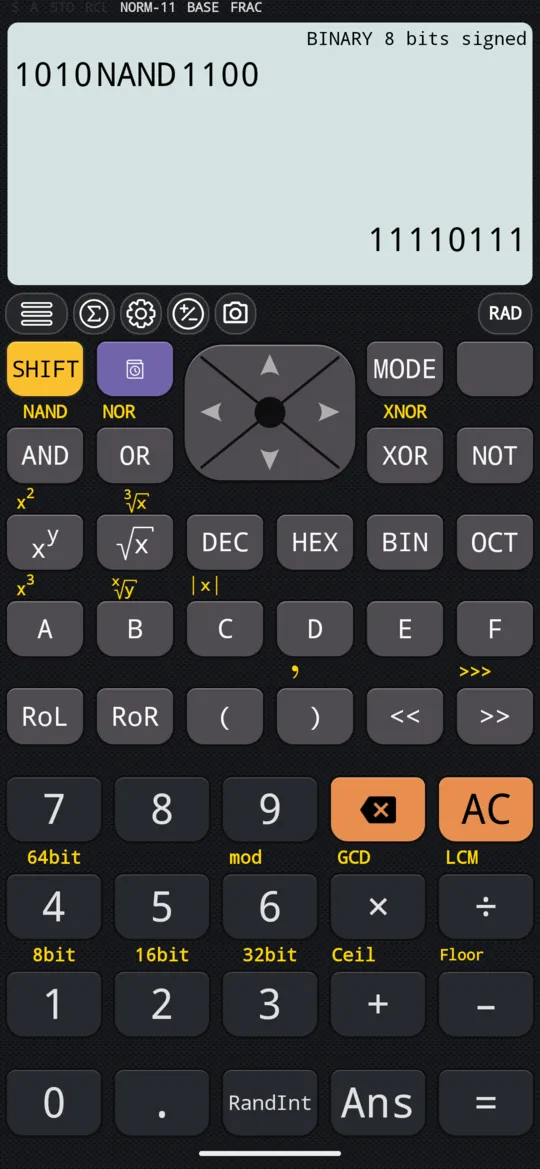
- Their SHIFT forms, SHIFT AND NAND, SHIFT OR NOR and SHIFT XOR XNOR, give the same answers with every bit inverted.
- The NOT key inverts every bit of a single number.
in 1010∧1100
out 1000
in 1010 NAND 1100
out 11110111
in 1011∨11010
out 11011
in 1011 NOR 11010
out 11100100
in 1010⊕1100
out 110
in 1010 XNOR 1100
out 11111001
Answers drop their leading zeros. That is why AND gives a short 1000 while NAND fills all eight places: inverting turns the zeros in front into ones.
The number 0 has no bits set, so NOT 0 sets all eight of them. Because values are signed, that pattern is −1 in decimal:
in ~0
out 11111111
Shifts
Type the number, press << or >>, then type how many places to shift by, and press =.
in 1010<<1
out 10100
in 1110010>>1
out 111001
The key >> is the signed shift: it copies the leftmost bit, the sign bit, into the places it empties, so a negative number stays negative. At 8 bits, 11110000 has its sign bit set:
in 11110000>>1
out 11111000
Its SHIFT form, SHIFT >> >>>, is the unsigned shift, which fills the places it empties with 0 instead.
Rotations
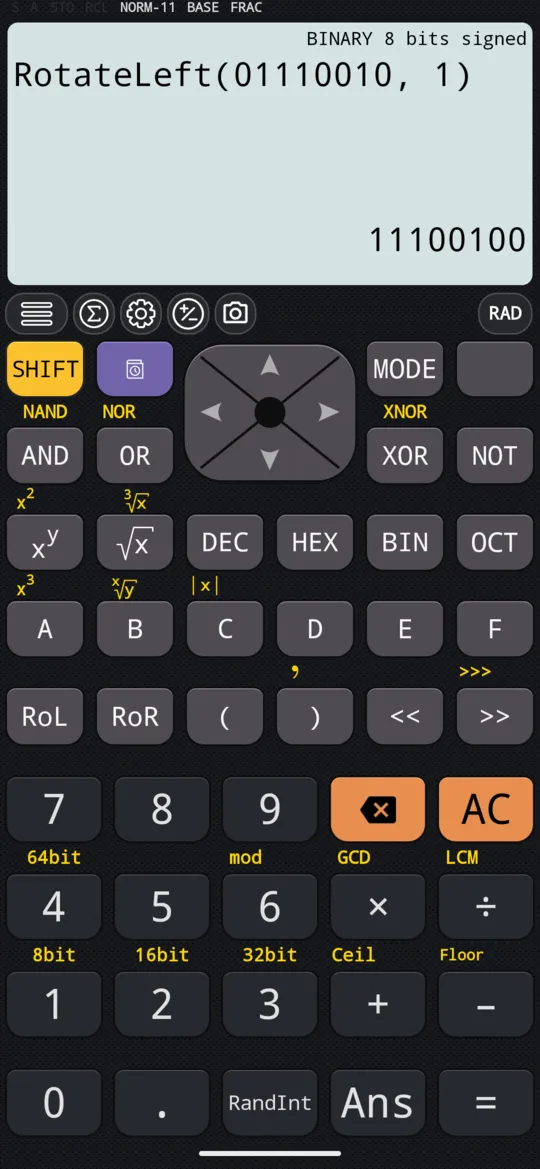
Press RoL or RoR first, then type the value, SHIFT ) , for the comma and the number of places to rotate by, and press =. The input line writes them out as RotateLeft and RotateRight.
in RotateLeft(01110010,1)
out 11100100
in RotateRight(01110010,1)
out 111001
Every bit of the value moves, all 8 at 8 bits, leading zeros included, and a bit pushed off one end comes back in at the other. In the two examples above the bit carried round is a 0, so it does not show. Here it is a 1:
in RotateLeft(11000000,1)
out 10000001
A shift by the same place loses that bit:
in 11000000<<1
out 10000000
True or False: logic on the 2nd keyboard
A logic calculation compares values, or combines conditions, and answers True or False instead of a number. It needs no mode of its own and works in MATH. Its keys are on the 2nd keyboard, which has no digits and no key that works out the answer, so you turn between the two pages as you type.
To ask whether 2 is less than 3
-
Type 2, then press 2nd.
-
Press <, then 1st to turn back to the digits.
-
Type 3 and press =. The answer is True.
in 2 < 3
out True
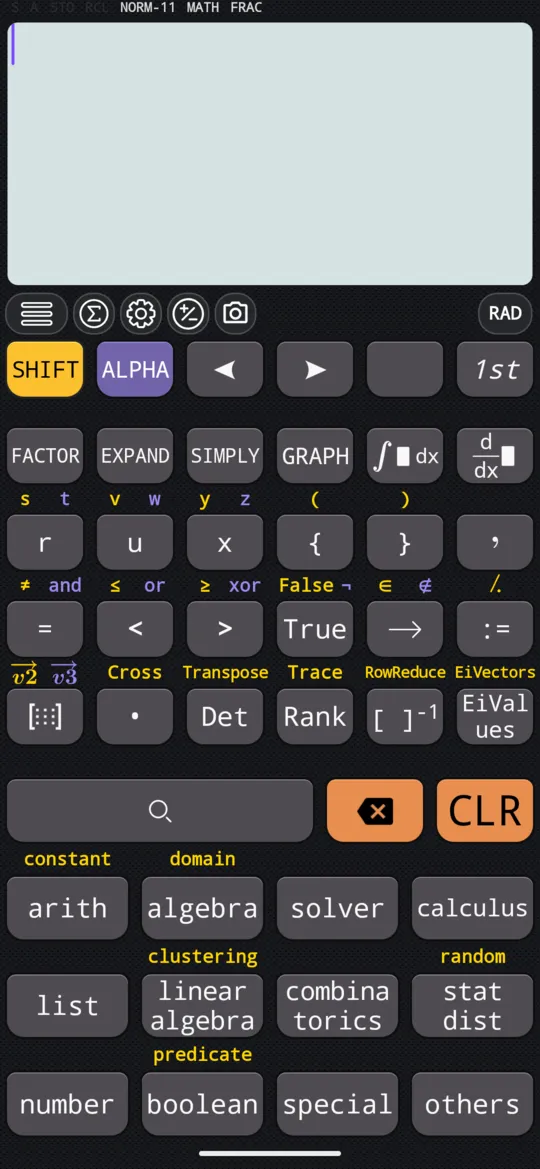
| Key | Alone | With SHIFT | With ALPHA |
|---|---|---|---|
| = | equal | ≠, not equal | and |
| < | less than | ≤ | or |
| > | greater than | ≥ | xor |
| True | True | False | ¬, not |
- and is True only when both sides are. The calculator works out the comparisons first, then and, then or.
- or is True when at least one side is; xor when exactly one side is.
- ¬ goes in front of a condition in brackets, and swaps True and False.
On the 2nd keyboard, = types a comparison, not an equation to solve, so 3 = 3 is a question, and its answer is True. It is a different key from the = on the first page, which works the calculation out.
in 3 = 3
out True
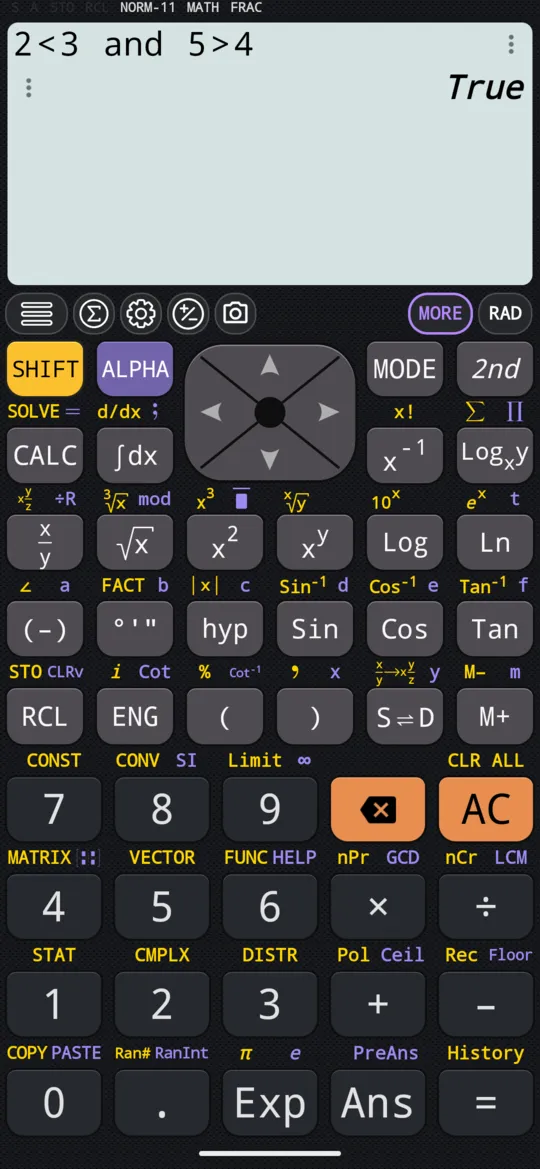
in 2 < 3 and 5 > 4
out True
Comparisons chain, so one expression asks whether 2 lies between 1 and 3:
in 1 < 2 < 3
out True
Press boolean, in the menu grid at the bottom of the 2nd keyboard, for the logic functions that have no key of their own, such as Implies. Two of them test the sign of a number: Positive(x) is True when x is greater than zero, and Negative(x) when it is less.
in Positive(0)
out False
At a glance
| Keys | What they do |
|---|---|
| MODE, BASE-N, BIN | Binary, for the bitwise keys |
| AND, OR, XOR, NOT | Bitwise, in BASE-N |
| SHIFT AND NAND, SHIFT OR NOR, SHIFT XOR XNOR | The same, inverted |
| <<, >>, SHIFT >> >>> | Shift left, right, right unsigned |
| RoL, RoR | Rotate left, right |
| 2nd, then =, <, > | Comparisons that answer True or False |
| SHIFT = ≠, SHIFT < ≤, SHIFT > ≥ | Not equal, at most, at least |
| ALPHA = and, ALPHA < or, ALPHA > xor | Join conditions |
| True, SHIFT True False, ALPHA True ¬ | True, False, not |
| boolean | Positive, Negative, Implies and the other logic functions |
| 1st | Back to the digits and the = that works the answer out |
Questions
How do I do a bitwise AND on the calculator?
Press MODE and choose BASE-N, then press BIN for binary. Type the first number, press AND, type the second and press =: 1010 AND 1100 gives 1000. The display writes AND as ∧, OR as ∨ and XOR as ⊕, and SHIFT on the same keys gives NAND, NOR and XNOR.
What is the difference between >> and >>>?
>> is the signed shift: it copies the leftmost bit, the sign bit, into the places it empties, so a negative number stays negative. At 8 bits, 11110000 >> 1 gives 11111000. SHIFT >> gives >>>, the unsigned shift, which fills them with 0 instead.
How do I rotate bits?
Press RoL to rotate left or RoR to rotate right, then type the value, press SHIFT ) for the comma, type the number of places to rotate by and press =. At 8 bits, RotateLeft(11000000, 1) gives 10000001: the 1 pushed off the left end comes back in on the right. A shift by the same place, 11000000 << 1, loses it and gives 10000000.
Can the calculator test whether something is true?
Yes, in the ordinary MATH mode, with the keys on the 2nd keyboard. =, < and > make comparisons; SHIFT on the same keys gives ≠, ≤ and ≥, and ALPHA joins conditions with and, or, xor. The answer is True or False: 1 < 2 < 3 is True, and so is 3 = 3, because the 2nd keyboard's = compares rather than solves.
Related pages
- Binary, octal, decimal and hexadecimal the four bases, converting an answer, the digits A to F, and the bit size
- Numbers, arithmetic and complex numbers which mode and which page, the keys, and how numbers are held
Written from the calculator's own manual and from the app itself, version 7.6.0; every figure is one the manual shows or a capture of the app proves. Last revised on 29 September 2026.
Bug reports and feature requests go to kimcuc@samatica.com — a person reads it.