Powers, roots and logarithms: x³, nth roots, eˣ, 10ˣ and log base 2 in Scientific calculator plus 991 for Android
For a logarithm to any base, press logₓy, type the base, press the right arrow and type the number: the log of 256 to base 2 is 8. For an nth root, type the index first, then SHIFT xʸ (ˣ√y) and the number: 4, SHIFT xʸ, 625, = gives 5. Powers are x² and xʸ, with x³ on SHIFT x²; √x is the square root and SHIFT √x the cube root; ln and log are the natural and common logarithms, with eˣ and 10ˣ on their SHIFT. In symbolic calculation answers stay exact, with the decimal beneath: 5 to the power 1.6 comes back as 5 times the fifth root of 5³.
- Powers
- x², xʸ; SHIFT x² for x³
- Roots
- √x; SHIFT √x for ³√x; SHIFT xʸ for ˣ√y, index first
- Exponentials
- SHIFT log for 10ˣ, SHIFT ln for eˣ
- Logarithms
- ln, log, and logₓy for any base
Powers, roots and logarithms each have a key, and most of those keys carry a second function in yellow above them, for SHIFT: x³ above x², the cube root above √x, the nth root above xʸ, 10ˣ above log and eˣ above ln. The last three are inverses: the nth root undoes a power, 10ˣ undoes log and eˣ undoes ln.
Powers
Press x² to square the number before it and SHIFT x² x³ to cube it. For any other power press xʸ and type the exponent in the raised box it opens.
in 5²
out 25
In symbolic calculation, the mode the calculator starts in (FRAC on the status line), 5 to the power 1.6 is kept exact, with its decimal on the line beneath:
in 5^(1.6)
out 5⁵√(5³)
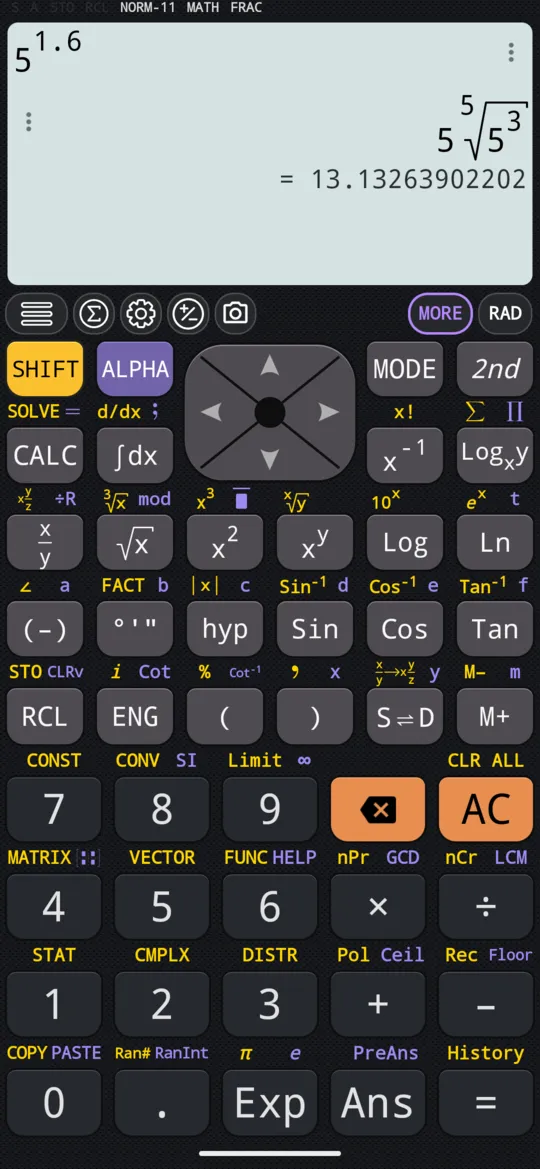
Press S⇌D to switch to numeric calculation, DECI on the status line, and the answer itself becomes that decimal.
Powers of 10 and of e
Press SHIFT log 10ˣ for a 10 with a raised box for the exponent, or SHIFT ln eˣ for an e with one.
in 10⁴
out 10000
In symbolic calculation e⁻³ comes back exact, with its decimal on the line beneath. Press S⇌D to switch to numeric calculation, DECI, and the decimal is the answer itself:
in e⁻³
out 0.04978706837
Roots
Press √x for the square root:
in √81
out 9
Press SHIFT √x ³√x for the cube root. Outside CMPLX mode, the cube root of a negative number is its real root:
in ³√(-27)
out -3
In CMPLX mode the same input gives the principal complex value instead.
For any other root, type the index first, then press SHIFT xʸ ˣ√y and type the number:
in ⁴√(625)
out 5
Logarithms
The natural logarithm, to base e, is ln, and the common logarithm, to base 10, is log. The display writes them Ln and Log.
in Ln(12)
out 2.48490664979
in Log(100)
out 2
In symbolic calculation ln(12) comes back as Ln(12), with this decimal on the line beneath it; in numeric calculation, as here, the decimal is the answer.
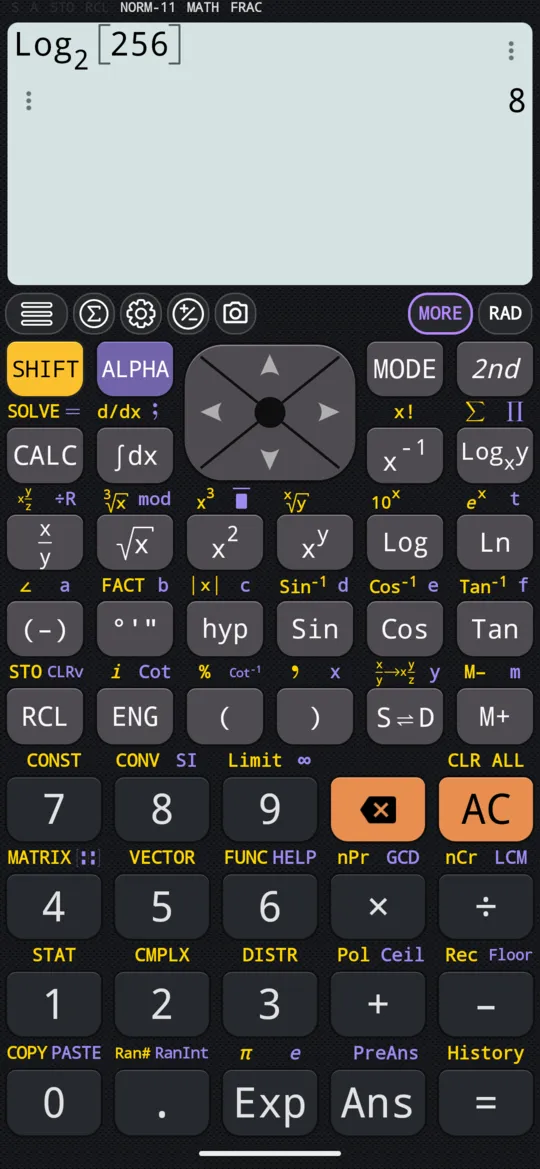
For any other base, press logₓy: it opens a template with a small place for the base and one for the number. Type the base, press right to move to the number, type it and press =.
in Log₂(256)
out 8
At a glance
| Keys | Function | Example |
|---|---|---|
| x², SHIFT x² x³ | Square, cube | 5² = 25 |
| xʸ | Any power | 5 to the power 1.6 = 5⁵√5³ |
| SHIFT log 10ˣ | Powers of 10 | 10⁴ = 10,000 |
| SHIFT ln eˣ | Powers of e | e⁻³ = 0.04978706837 |
| √x, SHIFT √x ³√x | Square root, cube root | ³√−27 = −3 |
| SHIFT xʸ ˣ√y | nth root, index first | ⁴√625 = 5 |
| ln, log | Natural and common logarithm | log(100) = 2 |
| logₓy | Logarithm to any base | log of 256 to base 2 = 8 |
| S⇌D | Symbolic or numeric calculation | exact ⇄ decimal |
Questions
How do I work out the nth root of a number?
Type the index n first, then press SHIFT xʸ (ˣ√y), type the number and press =: 4, SHIFT xʸ, 625, = gives 5, the fourth root of 625. The square root has its own key, √x, and the cube root is SHIFT √x.
How do I take a logarithm to base 2?
Press logₓy, type the base, press the right arrow, type the number and press =: the log of 256 to base 2 is 8. ln is the natural logarithm, to base e, and log the common one, to base 10: log(100) is 2.
Why does the answer come back as a root or a logarithm, not a decimal?
Because the calculator starts in symbolic calculation, FRAC on the status line, which keeps answers exact: 5 to the power 1.6 comes back as 5 ⁵√5³, and ln(12) as Ln(12). The decimal is on the line beneath the answer. Press S⇌D to switch to numeric calculation, DECI, and the decimal becomes the answer itself: e⁻³ is then 0.04978706837, and ln(12) is 2.48490664979.
What happens with the cube root of a negative number?
In MATH, the ordinary calculation mode, it gives the real root: ³√−27 is −3. In CMPLX mode the same input gives the principal complex value instead.
Related pages
- Angle units and trigonometry degrees, radians, gradians, the six trig functions and inverses, hyperbolics, DMS
- Complex numbers CMPLX mode, a + bi and r∠θ, Re, Im, Abs, Arg, the conjugate and the polar form
- Factorials, combinations (nCr), permutations (nPr) and random numbers n!, nCr and nPr, plus Ran# and RanInt for random numbers
- Numbers, arithmetic and complex numbers which mode and which page, the keys, and how numbers are held
Written from the calculator's own manual and from the app itself, version 7.6.0; every figure is one the manual shows or a capture of the app proves. Last revised on 29 September 2026.
Bug reports and feature requests go to kimcuc@samatica.com — a person reads it.