Vector length, angle between vectors, unit vector, projection and distance in Scientific calculator plus 991 for Android
On the 2nd keyboard, the linear algebra menu holds Norm for a vector's length, VectorAngle for the angle between two, Normalize for the unit vector and Projection for the shadow of one vector on another; SHIFT linear algebra (clustering) holds EuclideanDistance. In VECTOR Mode the MATH section has Angle, Normalize and Projection for stored vectors. Answers stay exact where they can: Norm((1, 2, 3)) is √14, and an angle comes in the angle unit that is set.
- Length
- Norm(v), exact where it can be
- Angle
- VectorAngle(u, v), in the angle unit set
- Unit vector, projection
- Normalize(v), Projection(vector1, vector2)
- Distance
- EuclideanDistance(u, v), under SHIFT linear algebra
These functions measure vectors rather than combine them: how long one is, the angle between two, the vector of length 1 in the same direction, the part of one vector that lies along another, and the distance between the points two vectors reach. They answer exactly where an exact answer exists, a square root left as a root and a fraction as a fraction.
Where they are
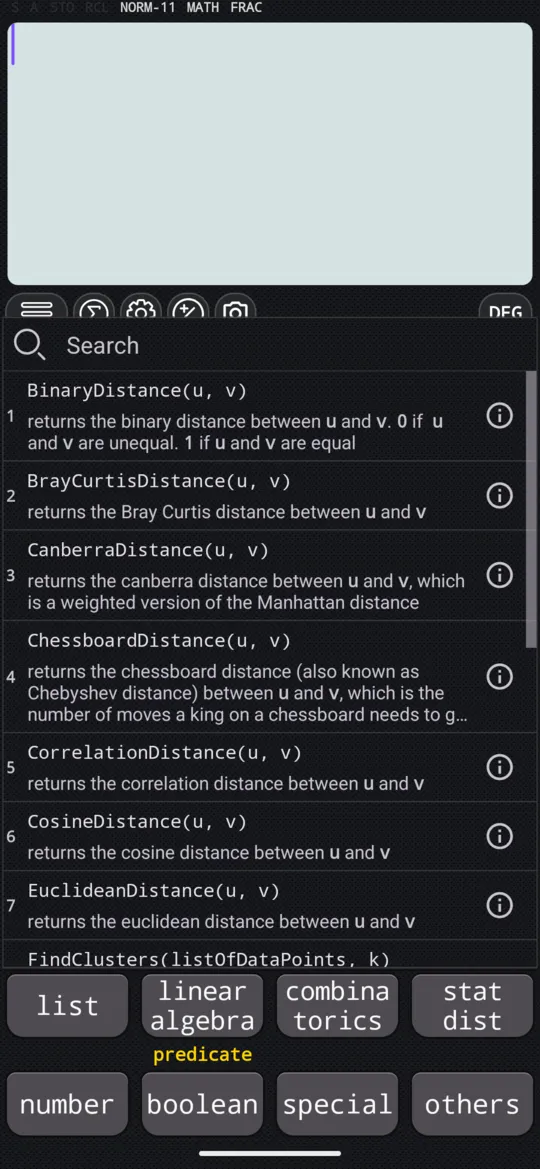
On the 2nd keyboard, the linear algebra key opens a searchable list of about sixty functions, Norm, VectorAngle, Normalize and Projection among them; type in the search box at the top to filter it. EuclideanDistance is in the other list on the same key, SHIFT linear algebra clustering. Put the vectors inside the brackets with the v2 and v3 templates, as on entering a vector.
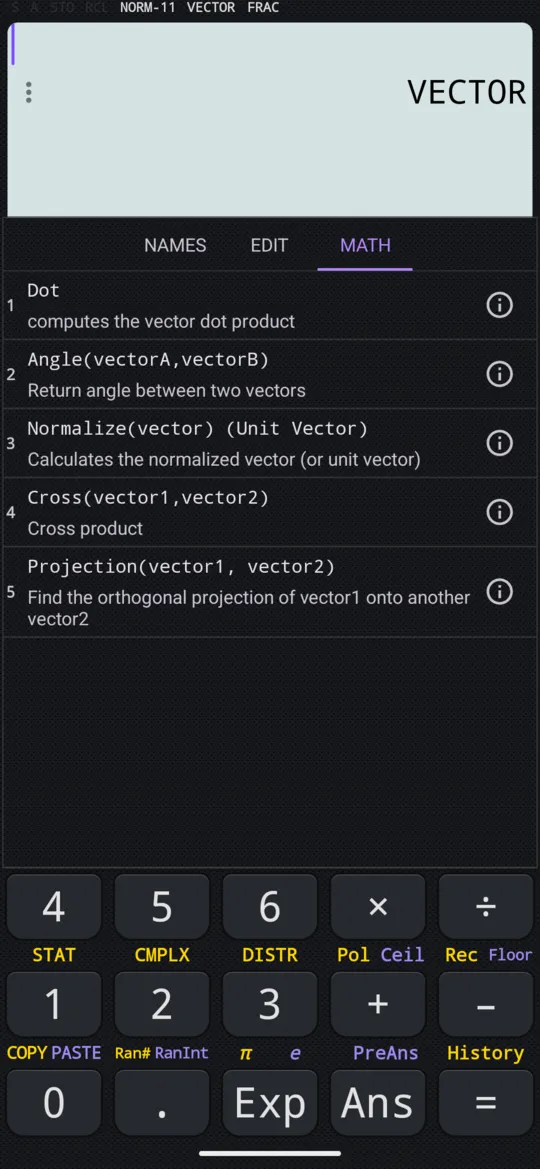
In VECTOR Mode, the MATH section of the vector menu, SHIFT 5 VECTOR, lists Dot, Angle(vectorA,vectorB), Normalize(vector) (Unit Vector), Cross(vector1,vector2) and Projection(vector1, vector2), which take stored vectors by name. The manual's vectors on the 2nd keyboard are u = (1, 2, 3) and v = (1, 5, 7), a = (3, 4) and b = (1, 1).
Length
Norm(v) gives the length of a vector, the square root of the sum of the squares of its components.
in Norm((3, 4))
out 5
That is √(3² + 4²) = √25 = 5. Lengths are usually not whole numbers, and then the answer stays exact:
in Norm((1, 2, 3))
out √14
Tap the result to switch between √14 and its decimal value.
The angle between two vectors
VectorAngle(u, v) gives the angle between two vectors, in the angle unit currently set, so check the unit before you read the answer. The examples here are in Degree.
in VectorAngle((1, 1), (1, 0))
out 45
Two perpendicular vectors give exactly a right angle. (3, 4) and (−4, 3) are perpendicular:
in VectorAngle((3, 4), (-4, 3))
out 90
The same holds in three dimensions. (1, 2, 3) and (1, 1, −1) have a dot product of 0, so they are perpendicular too:
in VectorAngle((1, 2, 3), (1, 1, -1))
out 90
In VECTOR Mode the function is the MATH section's Angle(vectorA,vectorB): choose it, then the two vectors from NAMES with SHIFT ) , between them. The row is named Angle, but it types VectorAngle( on the input line.
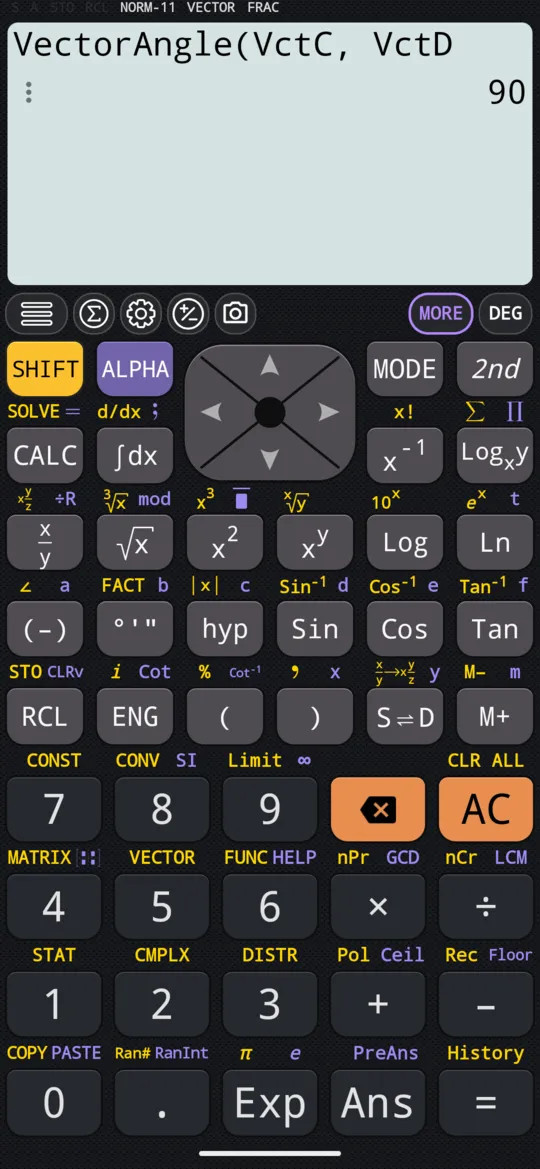
in VectorAngle(VctC,VctD)
out 90
Unit vector
Normalize(v) scales a vector to length 1 while keeping its direction. (3, 4) has length 5, so each component is divided by 5:
in Normalize((3, 4))
out {(3/5), (4/5)}
Tap the result to switch between the exact fractions 3/5 and 4/5 and the decimals 0.6 and 0.8. In VECTOR Mode it is the MATH section's Normalize(vector) (Unit Vector).
Projection
Projection(vector1, vector2) gives the shadow of the first vector along the direction of the second: the part of vector1 that points the way vector2 does. Its components are kept as fractions.
in Projection((1, 2, 3), (1, 5, 7))
out {(32/75), (32/15), (224/75)}
In VECTOR Mode, with the manual's VctA = (1, 2) and VctB = (3, 4), the MATH section's Projection(vector1, vector2) gives:
in Projection(VctA,VctB)
out {(33/25), (44/25)}
The order matters: the first vector is the one projected, the second only gives the direction.
Distance between two points
EuclideanDistance(u, v) gives the straight-line distance between the two points the vectors point to. It is in the clustering list, SHIFT linear algebra clustering, not the main linear algebra list.
in EuclideanDistance((3, 4), (1, 1))
out √13
That is √((3 − 1)² + (4 − 1)²) = √13.
Before you read an answer
- The angle unit. VectorAngle, and Angle in VECTOR Mode, answer in the unit that is set; the indicator on the display shows which.
- The template. The template key on its own, [::], inserts a matrix, not a vector. A one-row matrix looks exactly like a vector on screen, so keep to v2 and v3 for vector work.
- Exact or decimal. A root or a fraction in an answer switches to its decimal value, and back, with a tap on the answer.
At a glance
| Function | Where | What it gives |
|---|---|---|
| Norm(v) | linear algebra | The length of a vector |
| VectorAngle(u, v) | linear algebra; Angle in VECTOR Mode's MATH | The angle between two vectors, in the angle unit set |
| Normalize(v) | linear algebra; MATH | The unit vector in the same direction |
| Projection(vector1, vector2) | linear algebra; MATH | The projection of the first onto the second |
| EuclideanDistance(u, v) | SHIFT linear algebra clustering | The distance between two points |
Questions
How do I find the length of a vector?
Choose Norm(v) from the linear algebra menu on the 2nd keyboard and put the vector inside. Norm((3, 4)) is 5, that is √(3² + 4²). A length that is not a whole number stays exact: Norm((1, 2, 3)) is √14, and a tap on the answer switches it to its decimal value.
How do I find the angle between two vectors?
Use VectorAngle(u, v) from the linear algebra menu on the 2nd keyboard; in VECTOR Mode it is the MATH section's Angle(vectorA,vectorB), which types VectorAngle(. The answer is in the angle unit currently set, so check it first: in degrees, (1, 1) and (1, 0) are 45 apart, and (3, 4) and (−4, 3) are 90 apart.
How do I get a unit vector?
Normalize(v) scales a vector to length 1 and keeps its direction. (3, 4) has length 5, so Normalize((3, 4)) is (3/5, 4/5); tap the answer to switch between those fractions and 0.6 and 0.8.
Can it find the distance between two points?
Yes: EuclideanDistance(u, v), from the clustering menu (SHIFT and the linear algebra key on the 2nd keyboard), gives the straight-line distance between the two points the vectors point to. For (3, 4) and (1, 1) it is √13, that is √((3 − 1)² + (4 − 1)²).
Related pages
- Enter vectors, then take the dot and cross product store or type vectors; + −, the dot product, the cross product
- Matrices and vectors which way in, and what each page of the chapter covers
- Enter matrices, then add, subtract and multiply them store MatA to MatD, then + − ×, powers and MatAns
Written from the calculator's own manual and from the app itself, version 7.6.0; every figure is one the manual shows or a capture of the app proves. Last revised on 29 September 2026.
Bug reports and feature requests go to kimcuc@samatica.com — a person reads it.